Clio Manage is a solid record hub for your estate planning firm, and it holds both spouses on one matter. It scored 3.1 out of 5 on our rubric. However, it has no document request, and its intake forms and drafting logic sit in add-ons. Plan for that gap before you commit if your staff live in the document chase.
We ran a Clio Manage trial on synthetic data on October 16, 2026, and read Clio's documentation for the rest. Only Starter has a published price: $49 per user per month (last reviewed October 29, 2026).
Aretech builds automation that works around the software it reviews; here is how we score software.
TL;DR
- Clio Manage is a sound record hub for your estate firm, and it scored 3.1 out of 5 on our rubric.
- Clio holds both spouses on one matter, with up to 11 clients per matter.
- Clio Manage has no document request, and its intake forms sit in Clio Grow, an Elite or add-on product.
- That gap breaks it for you if your staff chase deeds and beneficiary designations from both spouses.
- Keep Clio, and plan the document chase around it before you buy quoted add-ons.
Clio Estate Planning Software Scorecard
Each row below scores one rubric dimension, read for your estate planning firm.
| Dimension | Weight | Score (1 to 5) | Basis |
|---|---|---|---|
| Core job performance | 20% | 3 | Tested: two spouses on one matter, checklists, and matter templates. No intake form or document request in Manage. |
| Interoperability | 18% | 3 | Over 300 apps and an open API. WealthCounsel receives Clio contacts and matters one way. |
| Ease of use and setup | 12% | 4 | First matter in about 3 minutes without the documentation. About 21 minutes to the first templated matter. |
| Practice-specific depth | 10% | 3 | Separate "Trusts" and "Wills & Estates" practice areas. Nothing estate-specific came preloaded in the trial; Clio's documentation describes optional estate presets for new accounts. |
| Attorney review and AI controls | 10% | 3 | AI extraction highlights what it fills, per Clio's documentation. No approval step before a portal share in the trial. |
| Pricing and cost structure | 10% | 2 | One published price. Higher tiers are quoted, and fees are "subject to change upon notice". |
| Data ownership and portability | 8% | 3 | Content stays yours. Ten CSV exports, with documents not on the list. |
| Support and reliability | 7% | 4 | 24/5 live support. In-app chat opens with an AI support agent. |
| Security and ABA Opinion 512 posture | 5% | 4 | SOC 2 Type II stated by Clio. Its subprocessor list names its AI providers. |
| Overall (weighted) | 100% | 3.1 | Weighted sum of 314 out of 500. |
Verdict by firm situation: a solid matter and client-record hub for your boutique estate firm if you draft in other software. It leaves intake for couples, document chasing, and drafting logic to add-ons or to your staff.
We ran a Clio Manage trial on the Advanced tier on October 16, 2026, with synthetic test data only. We covered contacts, a joint two-client trust matter, custom fields, task lists, and matter templates. We also reached the document template setup and its merge-field list and ran an automation. We checked the portal dialog, roles, integrations, and the plan screen.
Clio Grow, Clio Draft, the portal's client view, and AI extraction were outside our trial. Those findings come from Clio's own documentation and are labeled that way.
What Clio Does for an Estate Planning Firm
Clio estate planning software starts with Clio Manage. Clio Grow and Clio Draft sit on top of it.
Clio is cloud practice management software sold to law firms of every practice.
Clio Manage holds the core of your estate matter.
- The matter and its clients.
- Custom fields and checklists.
- Document and matter templates.
- Billing and trust accounting.
- The client portal.
Grow is Clio's intake and CRM product, and Draft adds questionnaires and conditional drafting. The table lists each estate stage, what Clio does there, and where it lives.
| Stage | What Clio does | Where it lives | How we know |
|---|---|---|---|
| Matter and joint clients | One matter holds up to 11 clients, with one default client and a bill recipient for each. | Manage | Tested |
| Intake data | Custom fields in 12 types, grouped into field sets. Public intake forms take multiple contacts per form. | Manage for fields, Grow for forms | Fields tested, forms per Clio's documentation |
| Client documents | A client portal per matter. A client task goes to one client at a time. | Manage (Clio for Clients) | Portal dialog tested, client tasks per Clio's documentation |
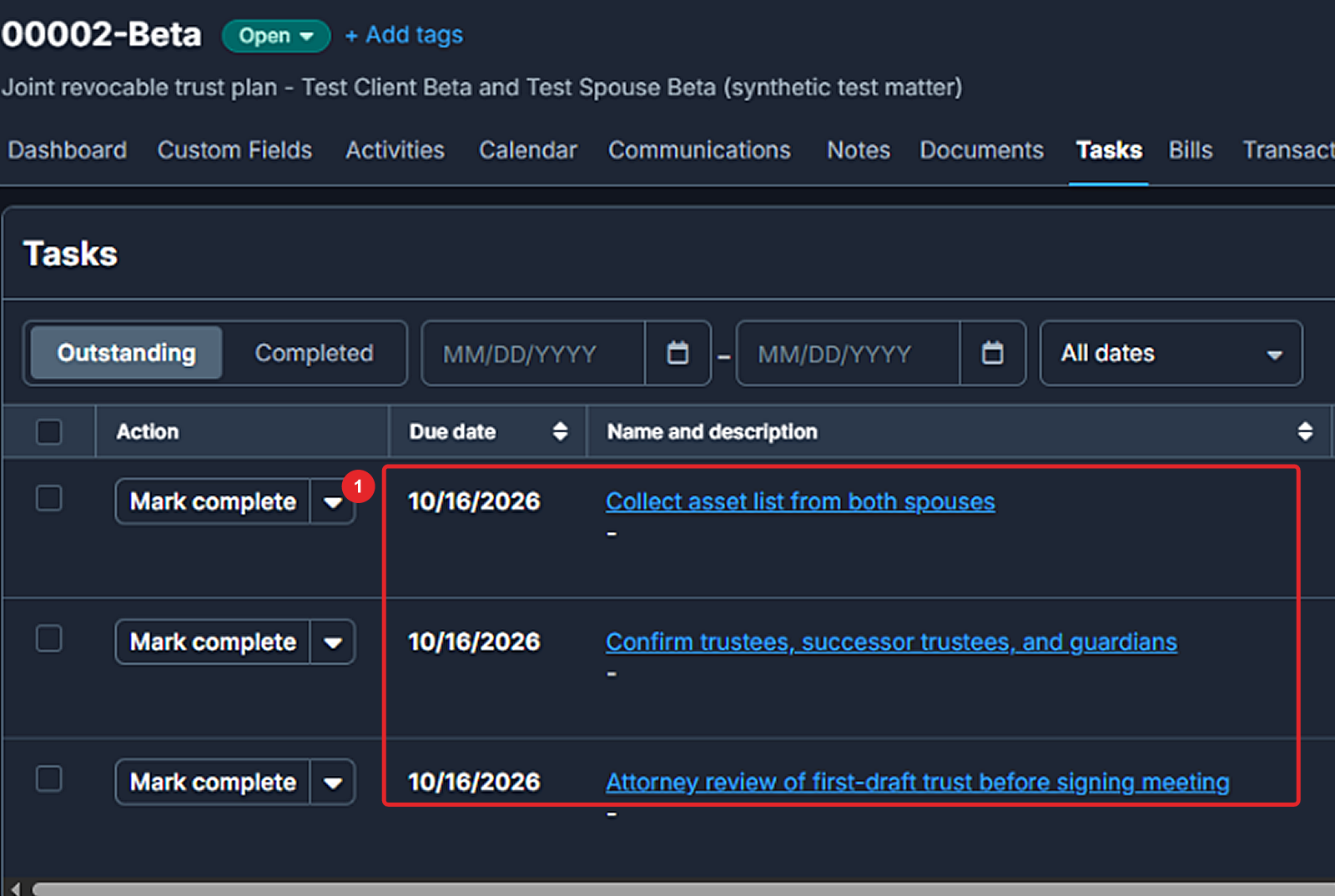
| Checklists | Task lists with relative due dates and reminders. Matter templates carry a practice area, a field set, and a task list into a new matter. | Manage | Tested |
| First drafts | Document templates are uploaded Word or PDF files with merge fields. Questionnaires, conditional clauses, and court forms sit in Draft, and court form templates are not updated automatically. | Manage for templates, Draft for logic | Merge-field list seen in the trial, the rest per Clio's documentation |
| Automations | Three triggers and three actions. | Manage | Tested |
| Billing | Hourly and flat-rate billing, online payments, and trust accounting. | Manage | Not scored here |
| AI | One entry point in the trial: "Set up from documents" on the new matter form. | Manage | Located in the trial, not run |
Four estate apps appear on Clio's estate planning page.
- Estateably, an estate and probate administration tool; the page describes importing executor and beneficiary information into it.
- DCS.
- Rest.
- Yourefolio.
Clio Manage vs Clio Grow for Estate Intake
Clio Manage runs the matter once your client is engaged, and Clio Grow runs intake before that.
Grow was outside our trial, so these facts come from Clio's documentation. A Grow intake form template builds from contact blocks and questions, and a public form sets the pipeline stage, matter type, and assigned user.
Grow comes with Elite, Clio's top Manage tier, or as an add-on. Clio's pricing page lists Grow as an add-on with no published price, so you learn its cost in a sales conversation. A Grow matter converts to Manage one matter at a time. Without the two products synced, only the default client converts, and neither tasks nor emails convert, per Clio's Convert Matters article.
Practitioners on Reddit report leads that do not sync to Manage. One reports that Grow contacts now convert into Manage automatically. We could not test either report.
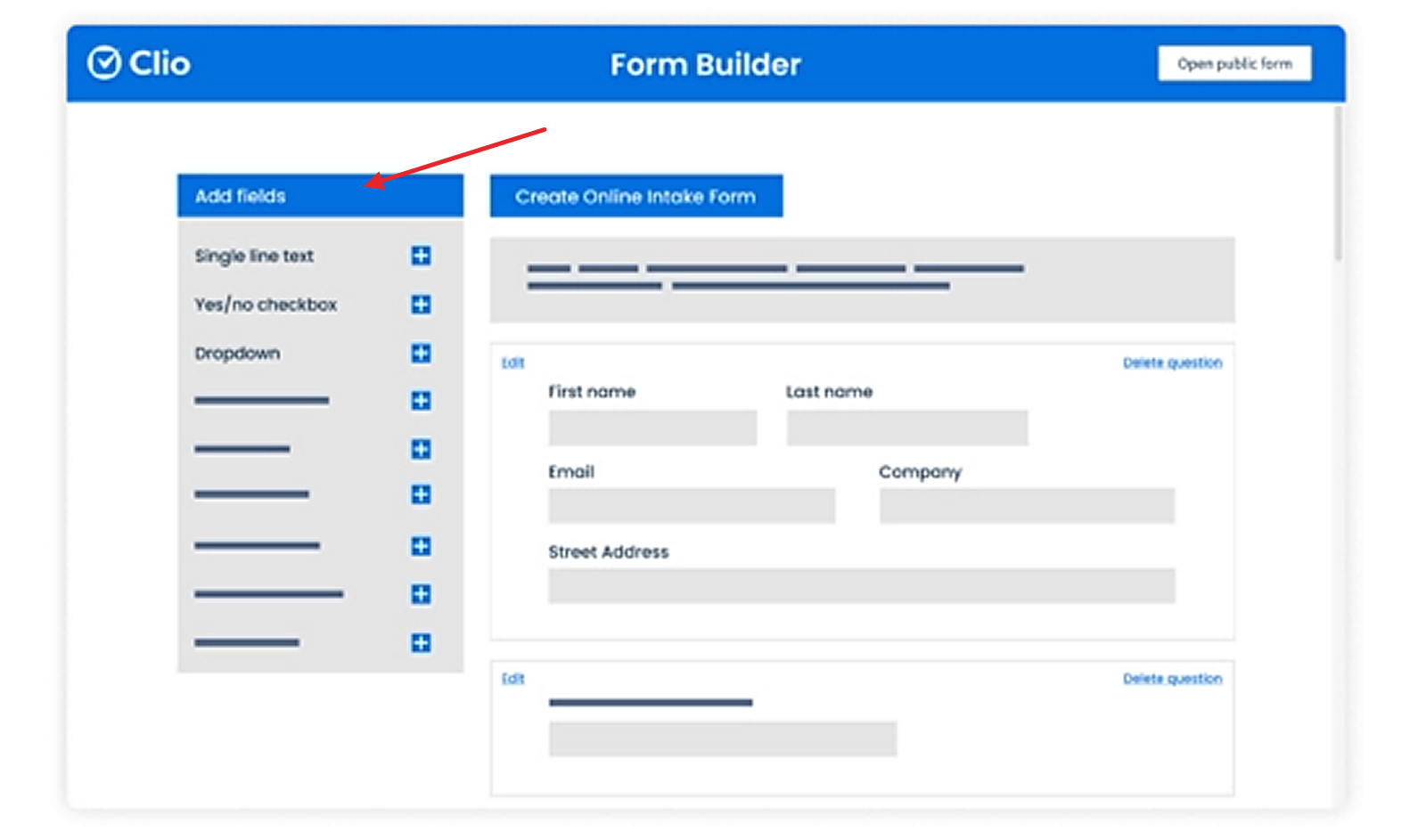
Image: Clio, from Clio's online intake forms page.
Who This Review Is For (and Not For)
This review is for you if you operate a firm that runs Clio or is weighing it. Two lists show who it fits.
It is for these readers.
- Owner-attorneys and operations leads at boutique estate planning firms (wills, trusts, and powers of attorney) who run Clio or are weighing it.
- Firms adding estate work to an existing Clio account.
It is not for these readers.
- Consumers planning their own estate, and their families. An estate planning attorney is the right next step.
- DIY filers who prepare their own wills or trusts.
- Non-attorney document preparers.
- Big law: large firms with an IT department.
- Firms in other practice areas, since this review reads Clio through estate work only.
- Paralegal job seekers.
Clio Limitations Estate Planning Firms Run Into
Clio's limits for your estate firm sit in add-ons or fall to your staff.
The table lists six limits, who each one hurts, the evidence, and the workaround.
| Limitation | Who it hurts | Evidence | Workaround |
|---|---|---|---|
| Intake forms sit only in Clio Grow, which comes with Clio's top tier. Manage custom fields have no conditional or list type. | Firms whose intake branches (blended families, minor children, business owners) and that take in two spouses. | Tested: the custom field dialog and the plan screen. Clio's pricing page, October 2026. | Add Grow at the top tier, run a separate intake tool from Clio's App Directory, or automate intake around Clio. |
| Manage has no document request or missing-items view. A client task goes to one client at a time, and tracking is a staff checkbox or task. | Staff chasing prior wills, deeds, and beneficiary designations from both spouses. | Tested: no request or missing-items view in a matter. Clio's documentation shows client tasks go to one client, on select plans. | Staff checklists per matter, or an automated document chase around Clio. |
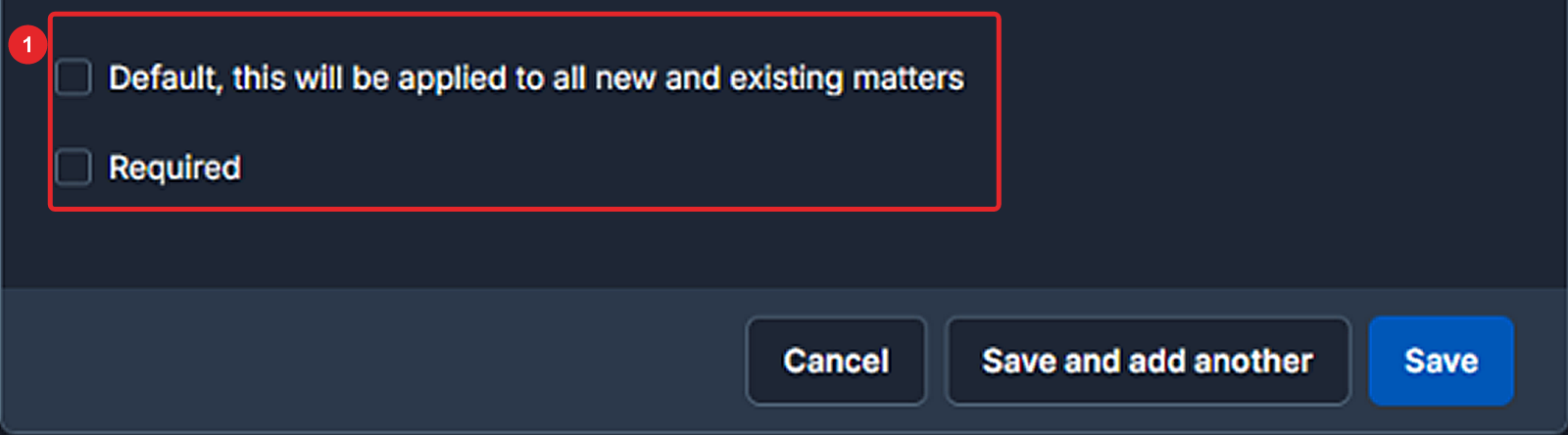
| A joint matter works, but Clio's estate field sets record one client's fiduciaries, up to four names per set. A second spouse needs an added set. | Firms drafting joint trusts and mirror wills. | Tested: two clients on one matter. Clio's Preconfigured Accounts article states the four-name limit and the added set. | Add a second field set for the second spouse. |
| Manage drafts only from your own uploaded Word or PDF template, with merge fields and no conditional logic. Questionnaires and conditional clauses sit in Clio Draft. | Firms with blended-family or special-needs variants. A practitioner on Reddit describes needing separate tables for his children, her children, and shared children. | Tested: a custom field appeared at once in the merge-field list, and the trial shipped no sample template. Clio's Document Templates article describes uploaded files and no conditional logic. | Clio Draft, your drafting software through a one-way push, or first drafts built from your own templates around Clio. |
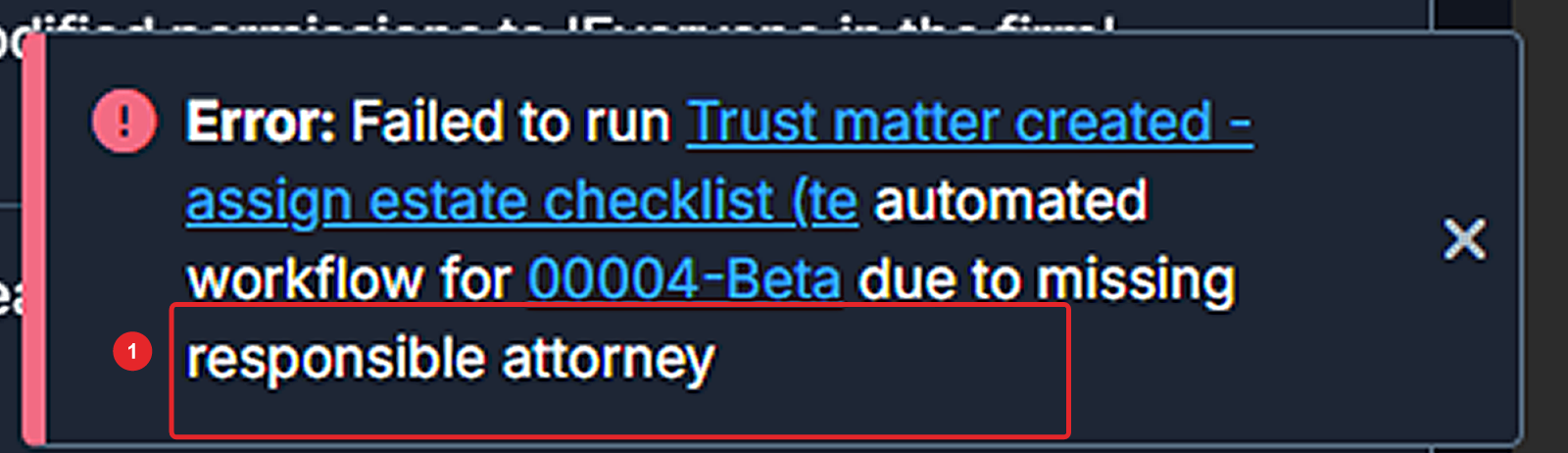
| Automations start from three triggers and take three actions. Assignment goes by role only, and a run fails when a matter has no responsible attorney. | Firms that want a reminder when a document is missing. | Tested: a run on a new matter failed with "missing responsible attorney". Matter stages start at Signature on Clio's pricing page. | Set the responsible attorney on every matter template, and use task due dates for reminders. |
| Creating a client portal sends the invitation in the same step. We found no approval step before a portal share or client message in our trial. | Firms where an attorney approves first contact. | Tested: the new portal dialog states "Invites will be sent to" each participant. Clio's pricing page states that you review and approve its AI output before it reaches a client. | Create the portal only when the attorney is ready to invite. Keep client messages in drafts outside Clio until approved. |
Are there automatic emails that are sent by the system on a weekly basis until the intake is done?
Not in Manage. Its automations have no trigger for a missing or overdue document. Grow workflows run steps such as Request form, Send email, and Assign task, per Clio's Grow workflows article.
Grow AI follows up on outstanding intake forms by SMS and email, per Clio's Grow AI announcement.
When clients leave information off their intake forms, I often end up in long email chains. Does Clio chase the missing details?
No. Manage has no view that lists what a client left off, so your staff chase the gaps by email or with a client task. A paralegal at an estate firm on Reddit describes the long email chains that follow.
A Clio user in the same thread answers that a secure portal link lets clients upload straight to the matter. Sharing a document opens a portal with a client-upload folder, per Clio's sharing article.
Can Clio Handle Intake for Both Spouses on One Matter?
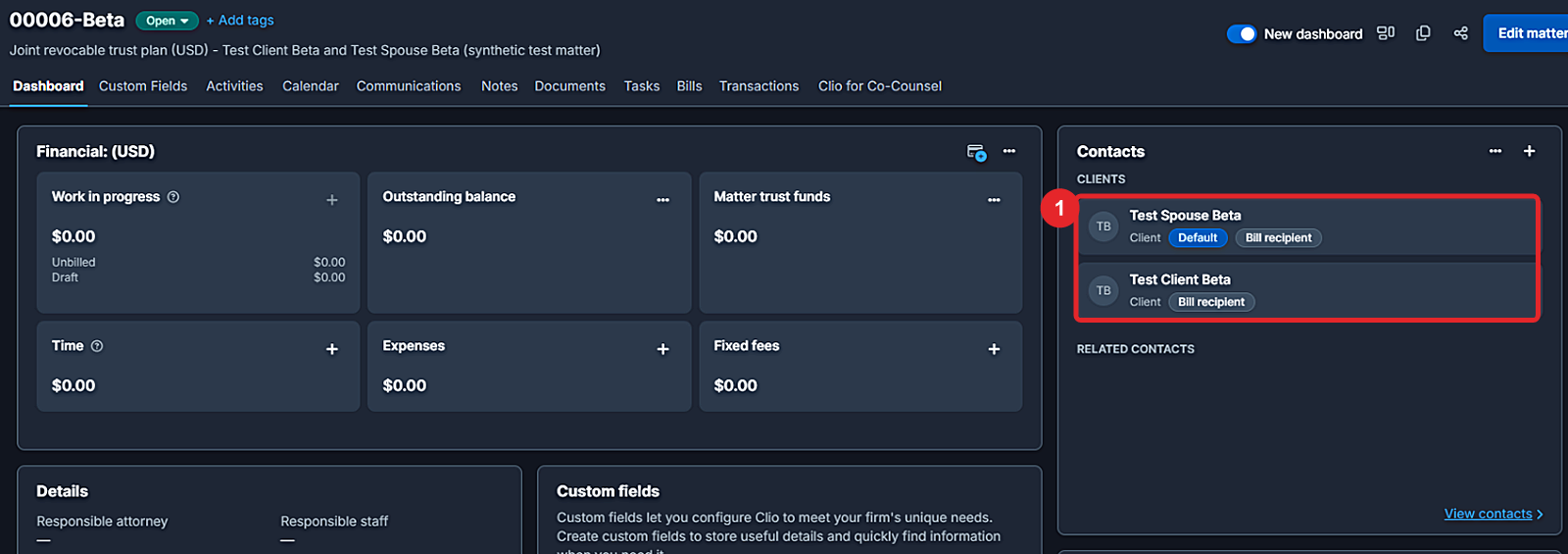
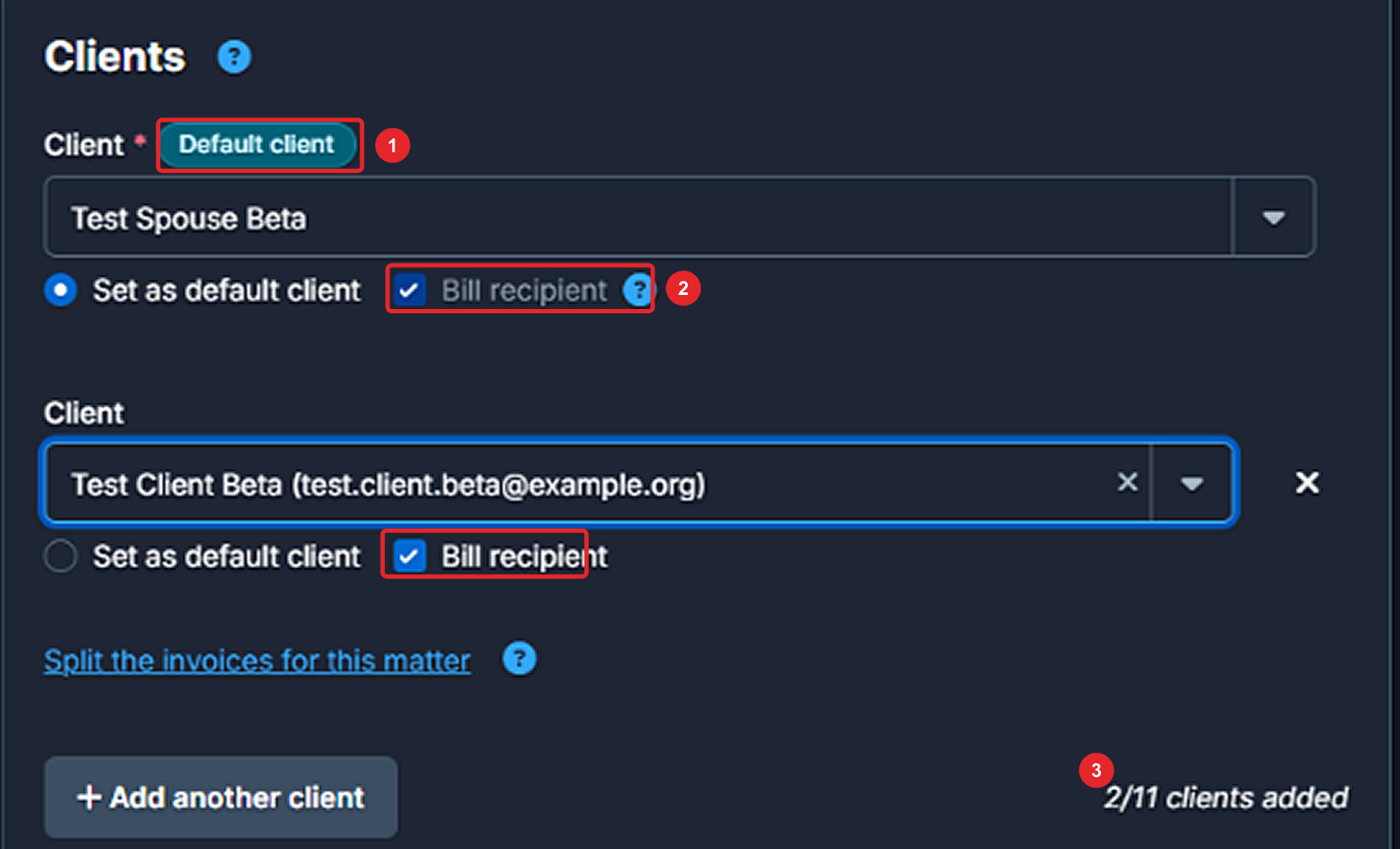
Yes for the matter record. We put two clients on one joint trust matter, and Clio counted "2/11 clients added" and offered a bill recipient for each.
In the image, callout 1 marks the default client, callout 2 marks the bill recipient boxes, and callout 3 marks the client counter.
The gap is fiduciary data. Each fiduciary field set records up to four names, so your second spouse needs an added copy of the set.
Is there an intake system where I can have multiple intake forms for multiple different people in the same matter?
Yes, through Clio Grow. A Grow intake form takes multiple contacts, per Clio's documentation, so both spouses can fill one form.
How do I keep track of deceased clients, or when one half of a married couple dies?
Keep both spouses on the plan matter. We did that in our trial. Its matter form also carries a Related contacts section for people tied to a matter who are not its clients.
Do I Need Templates for Each Spouse in the Estate Plan?
In Clio Manage, in practice yes. The Document Templates article describes Word merge fields with no conditional logic, and single-client fields fill the default client only.
Standalone and nested conditions in Clio Draft sit between [If] and [End] tags, per Clio's documentation on conditional logic. As a result, one template can branch on the matter's facts. The Clio for Word add-in builds them, and it does not save template work automatically, per Clio's documentation.
An estate associate on Reddit asked how to avoid separate versions for each spouse in Draft. We could not test Draft.
Where Clio Is Strong
Clio gives you one record per couple, a fast start, repeatable setups, a drafting tool of your choice, and low switching risk.
Each gain below is something you keep.
- One record for a couple's plan: both spouses sit on one matter, each marked as a bill recipient. You keep one file per couple, not two, as we saw in our trial.
- A fast first matter: we opened a client and a matter in about 3 minutes and 16 actions without the documentation. Your staff training time stays low.
- The same steps on every new matter: once built, a matter template adds your checklist and fields to each new matter. Fewer steps get missed. The template we built in our trial carried a practice area, a field set, and a checklist.
- Your drafting tool stays: the App Directory shows "over 300 apps," estate drafting and intake tools among them. You are not forced to switch drafting software.
- Lower switching risk: Clio's pricing page promises 24/5 live support, training, and data migration. Software Advice shows 4.7 from 1,751 ratings as of October 29, 2026.
Clio Pricing (October 2026, Public Plans)
Clio publishes one price: Starter at $49 per user per month (last reviewed October 29, 2026), per Clio's pricing page. Every other tier reads "Get pricing".
The table shows where each estate job sits.
| Plan | Published price | What an estate firm gets there | What it still lacks |
|---|---|---|---|
| Starter | $49 per user per month (last reviewed October 29, 2026) | Contacts, matters, documents, time tracking, online payments, and trust accounting. | Custom fields, matter stages, custom roles, the client portal, and AI. |
| Core | Get pricing | Custom fields, a secure client portal, AI features, and document and matter templates (per Clio's comparison table, read October 16, 2026). | Matter stages. |
| Signature | Get pricing | Matter stages, unlimited custom roles, and bills split across payers. | Clio Grow intake forms, unless added. |
| Elite | Get pricing | Everything in Signature plus Clio Grow: online intake forms, scheduling, and Grow AI billed per hired matter. | A Clio Draft entry. The page lists none. |
| Add-ons | By quote or demo | Clio Work, Clio Grow, and Clio for Personal Injury are listed. | A published price for any of them. |
The plan screen we saw in our trial (last reviewed October 16, 2026) showed older plan names, with annual billing preselected. Easy Start was $49, Essentials $99, and Advanced $129 per user per month before discounts. The screen listed online intake forms only under Expand, which sells by "Talk to our Team for Pricing". Older names and prices still circulate in AI answers and reviews.

Subscriptions auto-renew, and canceling mid-term leaves the remaining balance due. "All fees are subject to change upon notice," per Clio's Terms of Service. Integrations add their own bills, because the apps in Clio's App Directory carry their own vendor prices.
You buy the top tier or quoted add-ons when you want intake forms, matter stages, and drafting logic.
So the published price is the floor, not your working price.
An estate attorney with three staff wrote on Reddit that "the cost is adding up," and the tier map above shows why.
Case or practice management software was available at 53% of respondents' firms, down from 63% in 2022, per the ABA's 2024 Practice Management TechReport. The report's author ties the fall in use to features sold "a la carte, or individually per add-on".
How Much Extra Is Clio Draft?
We found no Clio-published price for Clio Draft.
As of October 29, 2026, Clio's Draft pages open Clio Work drafting pages. Clio's pricing page lists add-ons for Clio Work, Clio Grow, and Clio for Personal Injury.
Clio's help articles and terms still use the name Clio Draft, and the product was formerly Lawyaw. Older Lawyaw-era prices still circulate on third-party pages and are not Clio's current price. Clio Work, the product those pages now show, uses per-user pricing. It offers a 14-day free trial or a demo for a quote, per Clio Work's pricing page.
One firm on Reddit reports that Draft document sets draft multiple Word documents with one click. Draft was outside our trial, so budget for it only after a sales conversation.
How Clio Connects to the Rest of Your Stack
Clio connects through its App Directory and an open API.
For your estate firm, the question is which way data runs. Your drafting tools and intake tools hold answers Clio needs.
Estate Drafting Software: Which Way the Data Moves
Clio "pushes new or updated contacts and matters details" into WealthCounsel's drafting software, per WealthCounsel's integrations page.
Clio's listing describes syncing so Clio's matter and contact information can be used for drafting in WealthCounsel. Neither page states a return path.
Contacts from DecisionVault "sync over" to Clio, and its asset list exports to Excel, per DecisionVault's listing. AI answers say these tools eliminate double data entry. However, neither listing states a path that sends drafting answers back to Clio. Without one, your staff move those answers back by re-keying data into estate planning software.
Clio's Open API and the Rest of the Estate Stack
Clio's API lets a developer read and write matters, contacts, and documents with OAuth and webhooks, per Clio's API reference.
A webhook expires after 3 days by default and after 31 days at most, per Clio's webhook guide. So a developer renews each one on a schedule.
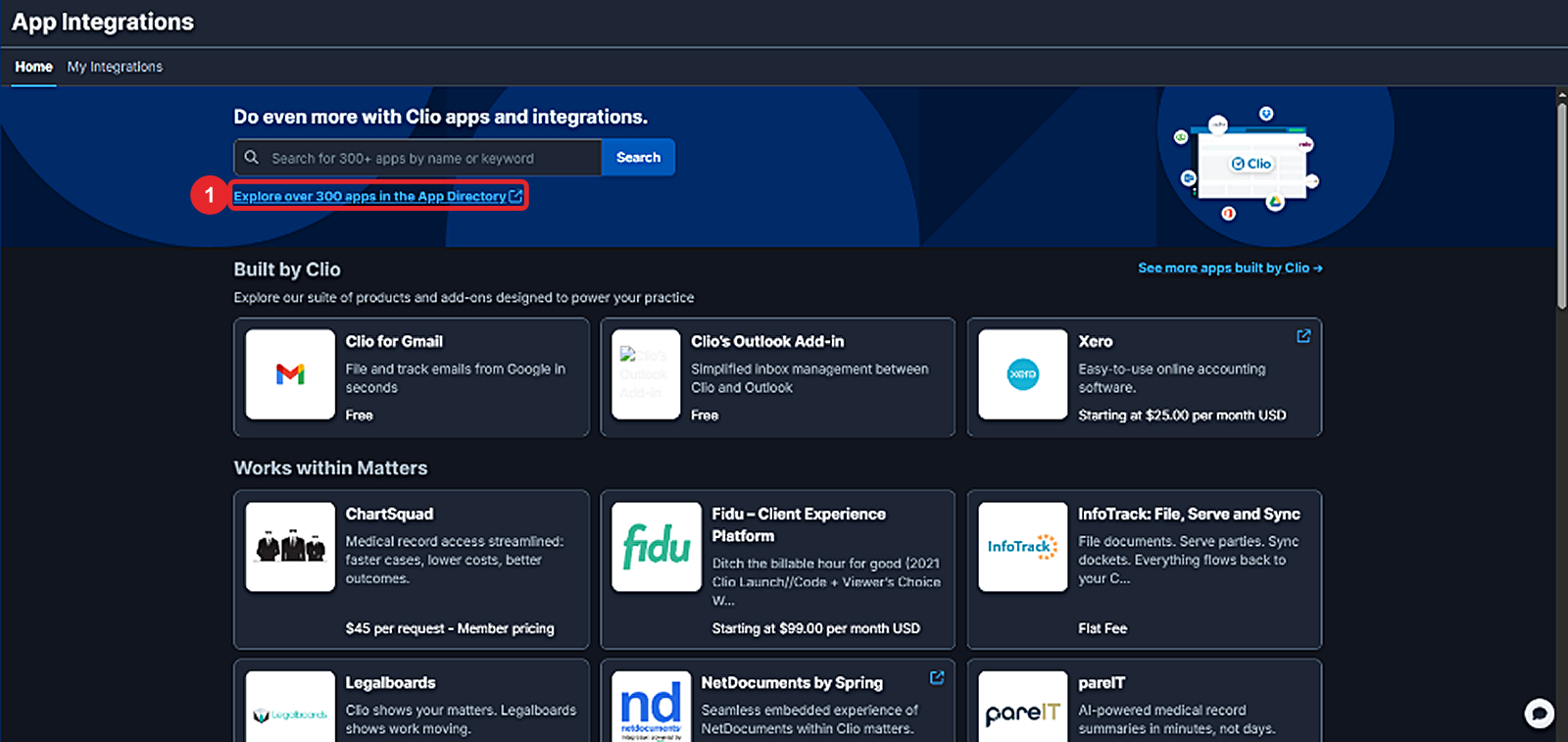
Clio also builds its own Gmail and Outlook add-ins and syncs calendars, as we saw on the App Integrations page and in Settings. In an estate planning practice technology stack, practice management, drafting, intake, and storage each hold part of your client's record. The API decides which of them Clio can feed.
AI Features and Attorney Review Controls
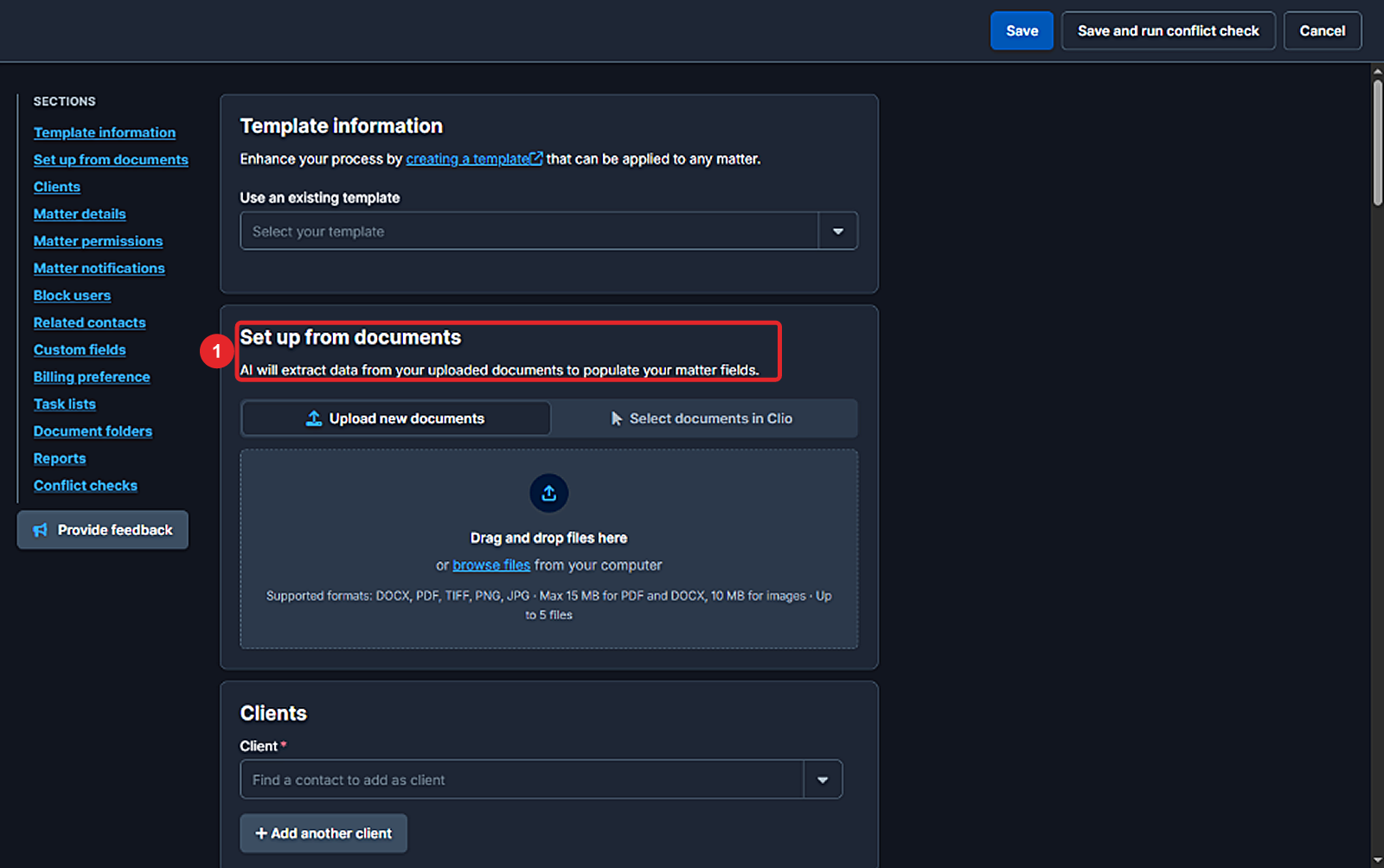
Clio's AI features sit on Core and above. In our trial, we found one entry point: "Set up from documents" on the new matter form.
It fills only empty matter fields and highlights what it filled in blue for review, per Clio's Create Matters article. We located it but did not run it, because it needs an uploaded document.
Three AI controls appear in Clio's AI Features article (last reviewed October 29, 2026).
- An administrator can turn off firm-level AI access for every user under Settings > Security & Compliance > AI Features.
- Firm-level AI access stays on when your license includes AI features, and Clio points you to its support team.
- Clio Work sits outside the setting, and an AI Event Log records the last 90 days of AI actions.
AI Actions cards in a matter hold events extracted from documents for review, per the same article.
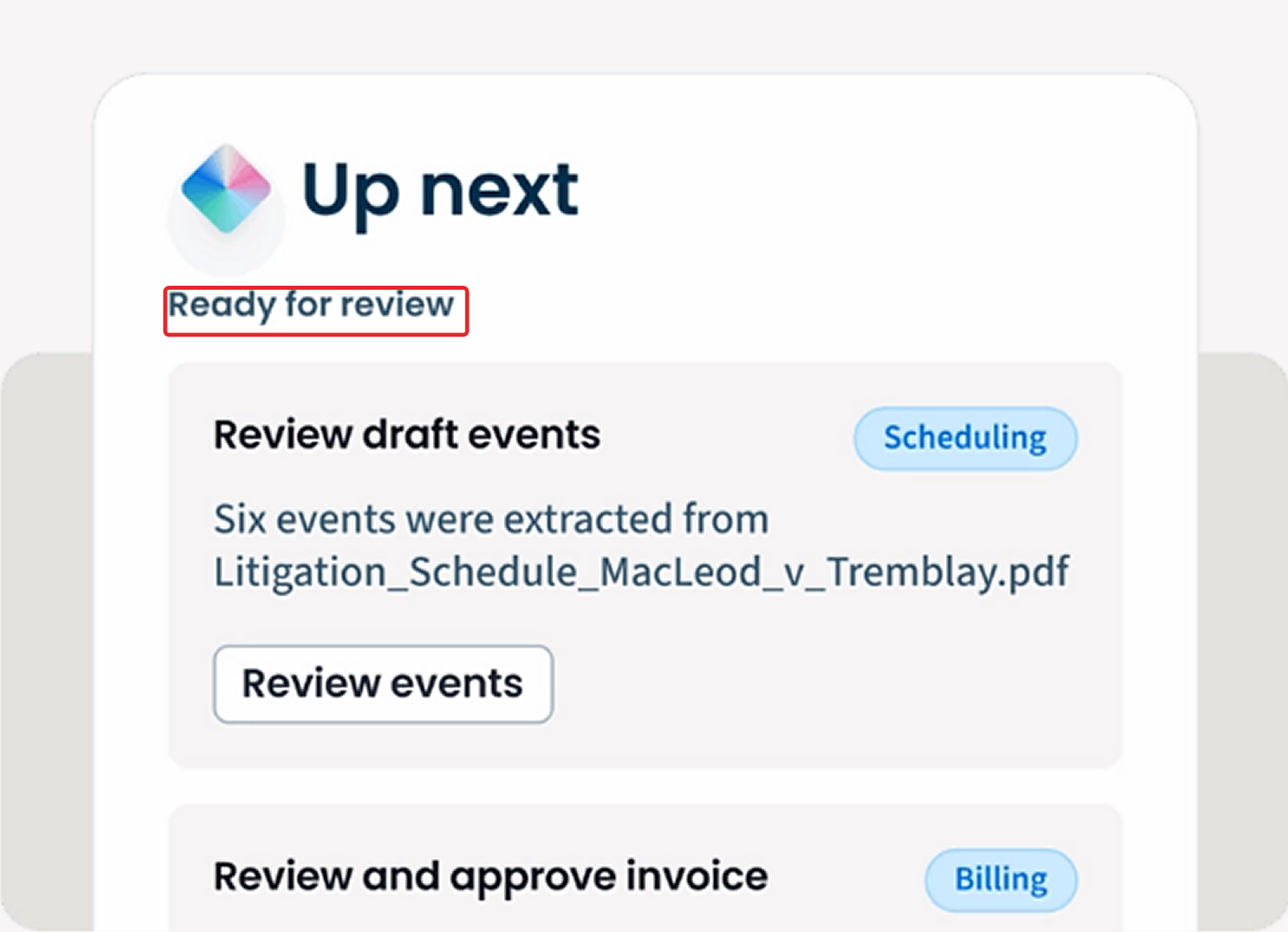
Image: Clio, from Clio's legal AI software page.
Eligible US Manage accounts are enrolled automatically in a 30-day Clio Work trial. You cannot opt back in once you opt out, per Clio's Clio Work access article, read October 16, 2026. In our trial, we found no setting that holds a client message or portal share for approval before it goes out.
Five AI providers appear on Clio's subprocessor list, last modified August 20, 2026.
- AWS Bedrock.
- Anthropic.
- OpenAI.
- Google Vertex AI.
- Microsoft Azure Foundry.
Lawyers "should review for accuracy all GAI outputs," according to ABA Formal Opinion 512 (page 10). Clio's Terms put the same duty on you as the subscriber: use AI output with human oversight. We state the obligation here and leave your AI policy to you.
Data Ownership, Export, and Exit Terms
Your firm's content "remains the property of the Subscriber," per Clio's Terms (last reviewed October 29, 2026).
The table lists what Clio states on export, exit, hosting, and AI data.
| Term | What Clio states | Source |
|---|---|---|
| Ownership | Content "remains the property of the Subscriber". | Clio Terms of Service |
| Export | Administrators export ten CSV data types: calendar entries, communications, contact notes, contact related matters, contacts, expense entries, matter notes, matters, tasks, and time entries. Documents are not on the list. | Clio's export help article |
| Retention after exit | After cancellation you have 90 days to retrieve your content. Deletion follows no earlier than 90 days after cancellation. | Clio Terms of Service |
| Backups | Data held in Clio's optional backup arrangement stays available for six months after cancellation. | Clio Terms of Service |
| Hosting | Amazon Web Services hosts Clio Manage and Clio Grow, with data locations in the United States, European Union, Canada, and Australia. | Clio subprocessor list |
| AI data | Zero-retention agreements with AI providers, and data "never used to train models". The Terms (section 14.6, read October 16, 2026) also let Clio de-identify and aggregate AI content and output to improve its AI services. | Clio pricing page and Terms |
| Security attestations | Clio states SOC 2 Type II. The reports sit behind its trust center, and we did not read them. Its subprocessor list covers Clio Grow as well as Manage. | Clio pricing page and subprocessor list |
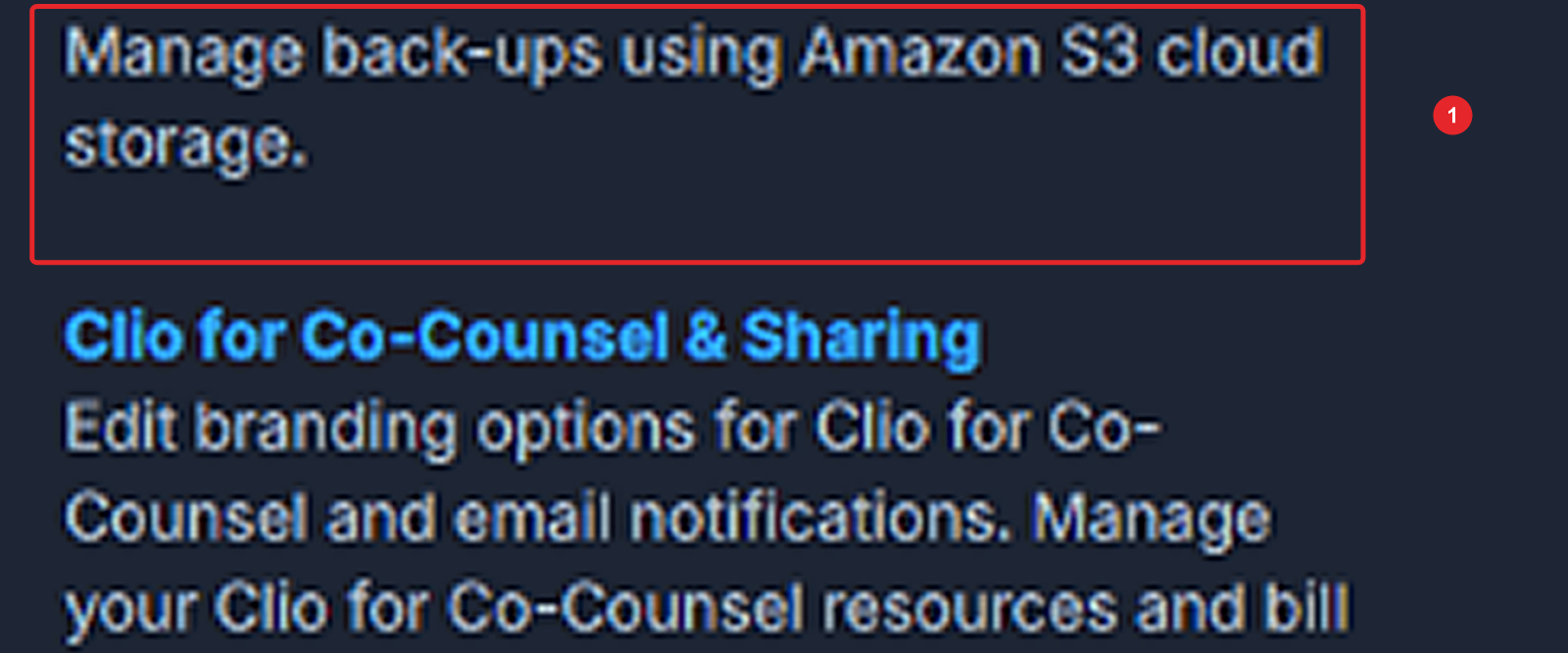
Documents are not on the CSV list, so you download them separately. In our trial's role settings, only the Administrator role can export account data in bulk. A Settings option backs the account up to Amazon S3 storage.
Should Your Firm Keep Clio?
Keep Clio when it is your matter and client-record hub and drafting runs elsewhere. Look elsewhere when you need intake for couples, document chasing, or drafting logic in one product at a published price.
I'm really seriously considering changing my case management system, so should I leave Clio?
Keep Clio when the record works.
The record means your matters, your clients, and the portal. Leave Clio when that record fails you. A new system fixes intake and drafting gaps only when it covers them, so check each one before you switch.
Estate Planning & Probate platforms, what are you using?
Many estate firms run Clio for case management and a dedicated drafting system for plan documents. An estate and probate team on Reddit describes that split, with many documents built as Clio templates and plan documents in WealthCounsel.
You can run Manage without Grow at a small firm, as one adviser on Reddit told an estate firm owner.
Keep Clio If
Keep Clio if these describe your firm.
- You want one record per couple, which Clio's matter form supports.
- Drafting already runs in dedicated estate software you keep, which Clio's listings connect to.
- Your staff need a documented system with live support.
- You can build your own field sets, checklists, and templates once.
Look Elsewhere If
Look elsewhere if any of these is true, and compare Clio alternatives for estate planning firms before you decide.
- Intake must branch and capture both spouses before engagement without a top-tier add-on.
- You need a document request with a missing-items view.
- Drafting logic must sit in your practice management tool at a published price.
- You need an approval step before anything reaches a client.
Keep Clio and Add an Automation Layer for Estate Planning Intake
You can keep Clio as your record and add an automation layer around it.
The layer captures intake once, chases documents, and assembles first drafts from your own templates. An attorney reviews everything.
The build has three layers, in this order.
- The data layer: one source of truth across Clio, your drafting software, your document storage, and your phones.
- AI agents that work on that layer.
- Automated workflows that run on the agents.
Aretech builds automated estate planning intake around Clio.
- Intake capture with conditional questions that your staff edit in a visual form editor without a developer. It adds staff-only sections, a "Not sure. Let's discuss" answer, and completion tracking. A person entered once is offered at every role, so a spouse is typed once.
- A document chase that lists what is missing, wrong, or out of date per client. It reminds in your firm's own wording, with a reviewer gate before the attorney.
- First drafts assembled from your own templates and attorney rules, with no AI-written legal language. Nothing is generated before attorney and client approval lock the record.
You handle more matters and increase revenue without adding headcount.
You own the system, and it lives in your firm's own cloud account. It is a one-time build scoped after the workflow mapping session, with neither seats nor subscriptions.
How Data Moves Between Clio and the Automation Layer
The layer reads from and writes to Clio through Clio's own API with OAuth.
It pulls matters and documents on a schedule and pushes results back to the matter, so Clio stays your record.
In our builds against Clio's API, we reached only logged emails and their attachments, never auto-filed emails. The layer renews Clio's webhooks on a schedule, since each one expires after 31 days at most.
The AI work uses hosted frontier models, so the data path runs through those providers. Nothing in the layer files, signs, takes a payment, or decides anything legal. Read about automation data security for law firms for how the path is handled.
FAQs
Is Clio Good for Estate Planning Firms?
Yes, if you need a matter and client-record hub: it scored 3.1 out of 5 on our rubric. However, intake for couples, document chasing, and drafting logic need add-ons or your staff's time.
Can Clio Handle a Married Couple on One Estate Planning Matter?
Yes. A Clio matter holds up to 11 clients, with one default client and a bill recipient for each, as we saw in the trial. Fiduciary field sets need a second copy for your second spouse, per Clio's documentation.
Is There a CRM Specifically Built for Estate Planners?
Clio is general practice management software with optional estate presets for new accounts, per Clio's documentation. It is not a CRM built only for estate planners. The short list of estate-focused options sits in our comparison of the best CRM for estate planning attorneys.
Where Do You Even Start With Clio Grow, Manage, and Draft for Estate Planning?
Start in Manage, and build your setup in this order.
- Custom fields.
- A field set.
- Task lists.
- A matter template.
Each step depends on the one before, and a matter template can only pull in task lists that already exist. Then decide whether Grow intake and Draft templates are worth their price to you.
Is Clio Draft Worth It for Estate Planning?
Clio Draft is worth a price check when you draft in Word and want questionnaires and conditional clauses tied to Clio data, per Clio's documentation. You already pay for that logic when you draft in dedicated estate software. Read about estate planning document automation when you want first drafts from your own templates.
Is Clio Draft Included in Clio Manage?
Not as a listed plan feature. Clio's pricing page names no Clio Draft entry in any Manage plan as of October 29, 2026. Clio's Draft pages now open Clio Work drafting pages.
Is Clio Grow Worth It for Estate Planning Intake?
Clio Grow adds public intake forms with multiple contacts per form and intake workflows, per Clio's documentation. It comes with the top tier or as an add-on. Conversion to Manage carries only the default client unless the two products are synced. Clio's pricing page lists Grow with no published price.
What Are the Best Clio Alternatives for Estate Planning Firms?
Clio alternatives for estate planning firms fall into three groups.
- Estate-focused CRMs.
- Other practice management systems.
- Keeping Clio and adding automation around it.
Should We Build Custom Automation Instead of Adding More Clio Add-Ons?
Weigh the quoted add-ons against a one-time build around Clio when your intake, chasing, and drafting all need add-ons. Our comparison of Clio vs custom automation for estate planning firms sets the two side by side.
Can Clio Send Intake Forms and Document Requests Automatically?
Clio Grow sends intake forms, and Manage has no document request feature. Grow forms go out by link, email, or SMS, and they create the contact and matter on submission, per Clio's documentation. A client task in Manage goes to one client in the portal with reminders, per Clio's documentation. In our trial, we found no way to request a document from a client inside a matter.
Your Next Step
Keep Clio as your record hub, and decide how intake for couples, document chasing, and first drafts get done around it.
The next step is the workflow mapping session: Get My Free Workflow Map.
Free. The map is yours, even if you never hire us.