Adapt is the best estate planning drafting software for attorneys in boutique estate planning firms, at 3.4 out of 5 on our rubric. Its state-aware interview drafted a full joint trust package in one run in our trial, and every tier's price and sign-up fee is public.
Clio scores 3.1 as practice management with drafting, the pick when you already run Clio. Trustate also scores 3.1 for drafting, trust funding, and probate from one vendor. Gavel scores 3.0 for automating your own Word templates.
Aretech builds automation that works around the software it reviews; here is how we score software. We score every product here on the same published rubric, and we never score ourselves.
Last reviewed: November 14, 2026.
Free. The map is yours, even if you never hire us.
TL;DR
- Adapt fits a boutique estate planning firm best: 3.4 out of 5, and one interview of about 17 minutes drafted a full joint trust package in our trial.
- Its prices are public: $79 a month plus a $399 sign-up fee, last reviewed November 14, 2026.
- On Clio already, pick Clio (3.1); for your own Word templates, pick Gavel (3.0).
- Plan for attorney review: our Adapt package needed two hand fixes.
- Check the renewal term and data exit before you sign.
The Ranking at a Glance
Adapt leads our ranking, with each product's type beside its score.
Start with this order when you choose will and trust software for your firm.
- Adapt: 3.4 out of 5 (estate drafting software)
- Clio: 3.1 out of 5 (practice management with drafting)
- Trustate: 3.1 out of 5 (estate drafting and trust administration software)
- Gavel: 3.0 out of 5 (document automation software)
- WealthCounsel: 3.0 out of 5 (estate drafting software)
- InterActive Legal: 2.8 out of 5 (estate drafting software)
- Lawgic: 2.8 out of 5 (estate drafting software)
- HotDocs: 2.7 out of 5 (document assembly engine)
- Westlaw Form Builder: 2.5 out of 5 (estate planning forms software)
We have not reviewed Statular yet.
What Estate Planning Drafting Software Has to Do in a Boutique Firm
Estate planning drafting software turns one set of client answers into the wills, trusts, and ancillaries your firm signs.
You may call it estate planning document drafting software, trust drafting software for attorneys, or estate attorney software.
The job has five steps.
- Assemble wills, trusts, powers of attorney, and health care documents from a library or your own language.
- Apply conditional logic for joint clients and blended families.
- Move intake answers into the answer file without retyping.
- Support a quality check before signing.
- Keep templates current as the law and your preferences change.
An attorney reviews every draft before signing, whatever the tool.
Template assembly suits wills and trusts because the same answers produce the same document. The New Jersey State Bar Association draws that line in its 2026 document assembly white paper. AI drafting, the paper notes, can give different outputs from the same inputs.
Who This Ranking Is For (and Not For)
This ranking serves the people who choose and run drafting software in a boutique estate planning firm. The ranking is written for these readers.
- Owner-attorneys choosing or renewing estate drafting software
- Operations leads who own the drafting process
- In-house developers at high-volume firms who build or maintain templates
The ranking is not written for these readers.
- Consumers drafting their own wills or trusts
- Document and petition preparers
- Big law firms and other practice areas
- Financial advisors
How We Scored
We scored every product on the same nine weighted criteria, built for estate drafting software in a law firm.
- Core job performance: 20%
- Interoperability with your stack: 18%
- Ease of use and setup: 12%
- Practice-specific depth: 10%
- Attorney review and AI controls: 10%
- Pricing and cost structure: 10%
- Data ownership and portability: 8%
- Support and reliability: 7%
- Security and ABA Opinion 512 posture: 5%
We tested Adapt, Gavel, and Clio in trial accounts with synthetic client data, and we read their documentation only after a task failed without it. Clio Draft, which our trial could not open, is scored from Clio's documentation.
WealthCounsel, InterActive Legal, Trustate, Lawgic, HotDocs, and Westlaw Form Builder are scored from their vendors' documentation, terms, and published screenshots. We also checked practitioner reviews of estate planning software for attorneys against each product's record.
Estate Planning Drafting Software Compared
Adapt leads this table at 3.4 out of 5, and the table ranks software against software only, by the weighted sum of the nine scores.
| Product | Type | Core job | Interoperability | Ease of use | Practice depth | Review and AI controls | Pricing | Data ownership | Support | Security | Overall | Best for |
|---|---|---|---|---|---|---|---|---|---|---|---|---|
| Adapt | Estate drafting software | 3 | 3 | 4 | 4 | 4 | 4 | 2 | 4 | 3 | 3.4 | Published pricing and a state-aware trust interview |
| Clio | Practice management with drafting | 3 | 3 | 4 | 3 | 3 | 2 | 3 | 4 | 4 | 3.1 | Firms already on Clio |
| Trustate | Estate drafting and trust administration software | 3 | 3 | 3 | 4 | 3 | 3 | 2 | 4 | 3 | 3.1 | Drafting, trust funding, and probate in one place |
| Gavel | Document automation software | 3 | 3 | 3 | 3 | 2 | 4 | 2 | 4 | 4 | 3.0 | Your own Word templates |
| WealthCounsel | Estate drafting software | 3 | 3 | 3 | 4 | 2 | 2 | 3 | 3 | 4 | 3.0 | A maintained library and a member community |
| InterActive Legal | Estate drafting software | 3 | 3 | 3 | 5 | 1 (Not stated) | 1 (Not stated) | 2 | 4 | 3 | 2.8 | Complex, tax-driven, and elder law plans |
| Lawgic | Estate drafting software | 3 | 3 | 3 | 4 | 2 | 2 | 2 | 4 | 1 (Not stated) | 2.8 | A guided interview on a Windows desktop |
| HotDocs | Document assembly engine | 3 | 3 | 2 | 2 | 3 | 2 | 3 | 3 | 3 | 2.7 | Firms that build every template themselves |
| Westlaw Form Builder | Estate planning forms software | 3 | 1 (Not stated) | 3 | 4 | 2 | 2 | 2 | 3 | 3 | 2.5 | A forms library inside Westlaw |
Adapt leads because it matches the field on core job and interoperability, the two heaviest dimensions. It is the only product to score 4 or higher on all four of ease of use, practice depth, review controls, and pricing. InterActive Legal scores highest on practice depth, at 5, for its tax-driven and elder law library. InterActive Legal and Lawgic tie on weighted sum, so we list them alphabetically.
1. Adapt: Best for Published Pricing and a State-Aware Trust Interview
Overview
Adapt is cloud estate planning document assembly software from ADA Platform Technology, built on the Fore! Trust template lineage.
It serves solo and small estate planning firms, and one state-aware interview drafts the whole revocable trust package.
Adapt ranks first at 3.4 out of 5 as estate drafting software, best for published pricing and a state-aware trust interview. Read how Adapt performed in our full test.
Adapt Estate Planning Drafting Software Scorecard
Adapt's scores come from our October 27, 2026 trial and Adapt's published terms.
| Dimension | Weight | Score | Basis |
|---|---|---|---|
| Core job performance | 20% | 3 | A full joint trust package from one interview, with two output defects to fix by hand and fixed will and trust templates |
| Interoperability with your stack | 18% | 3 | A one-way Clio client pull stated by the vendor only; we found no integration screen in the trial, and no API |
| Ease of use and setup | 12% | 4 | Matter setup and the interview worked without documentation in our trial |
| Practice-specific depth | 10% | 4 | An estate-only, state-aware interview in 49 states and DC, with joint and reciprocal trusts |
| Attorney review and AI controls | 10% | 4 | No AI, and completed documents are held from clients by default, but review happens outside the product |
| Pricing and cost structure | 10% | 4 | Every tier and sign-up fee is public, on a one-year term |
| Data ownership and portability | 8% | 2 | Client data stays yours, and the EULA gives a way to download it before termination; export format and ownership of your edits are not stated |
| Support and reliability | 7% | 4 | Chat, email, and phone on weekdays; the interview loaded in about 15 seconds |
| Security and ABA Opinion 512 posture | 5% | 3 | General security statements, and a SOC 2 Type II audit that covers its data-center providers only |
Features
Adapt covers the drafting job well and leaves the quality check to you.
- Template assembly: covered. A vendor library drafts for 49 states and DC, but not Louisiana.
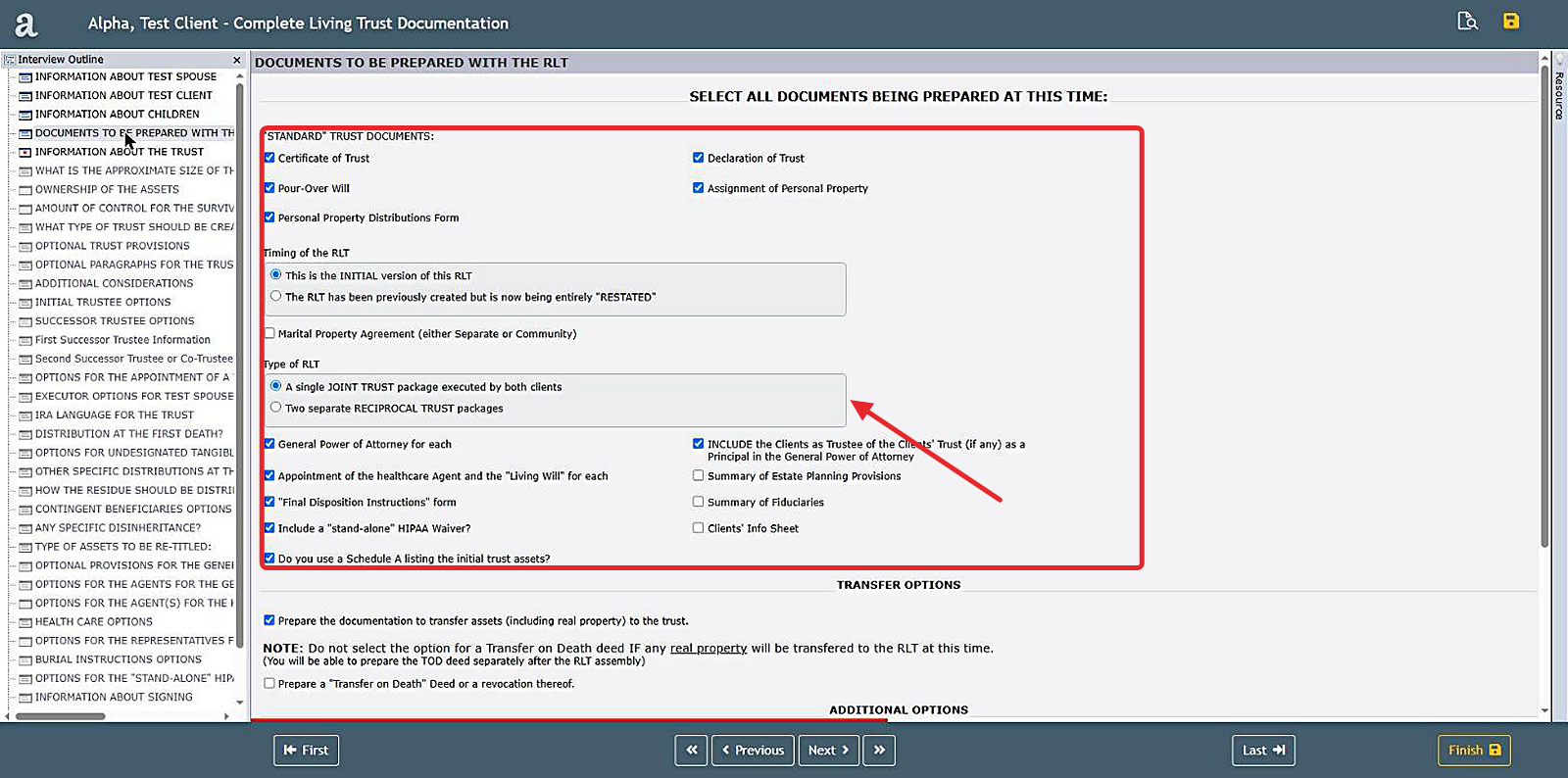
- Joint clients: covered. Joint or reciprocal trusts are chosen on one checkbox page.
- Intake into the answer file: partial. The client record prefills the interview, and the client questionnaire is off by default.
- Quality check before signing: not covered in the product.
- Template upkeep: covered by the vendor. Your firm edits its letters, not the will and trust templates.
Pros
Adapt saves your team hours on the plans you draft most.
- Fewer hours per joint trust package: one interview of about 17 minutes produced the trust, certification, pour-over wills, powers of attorney, and health care documents.
- Fewer planning choices left to memory, because the interview shows your state's estate tax exemption and suggests a trust type from the answers.
- Earlier budget certainty, because every tier and sign-up fee is public.
- Faster staff training, because the lightbulb box shows the clause each option inserts.

Cons
Adapt's weak points sit in the output and the contract.
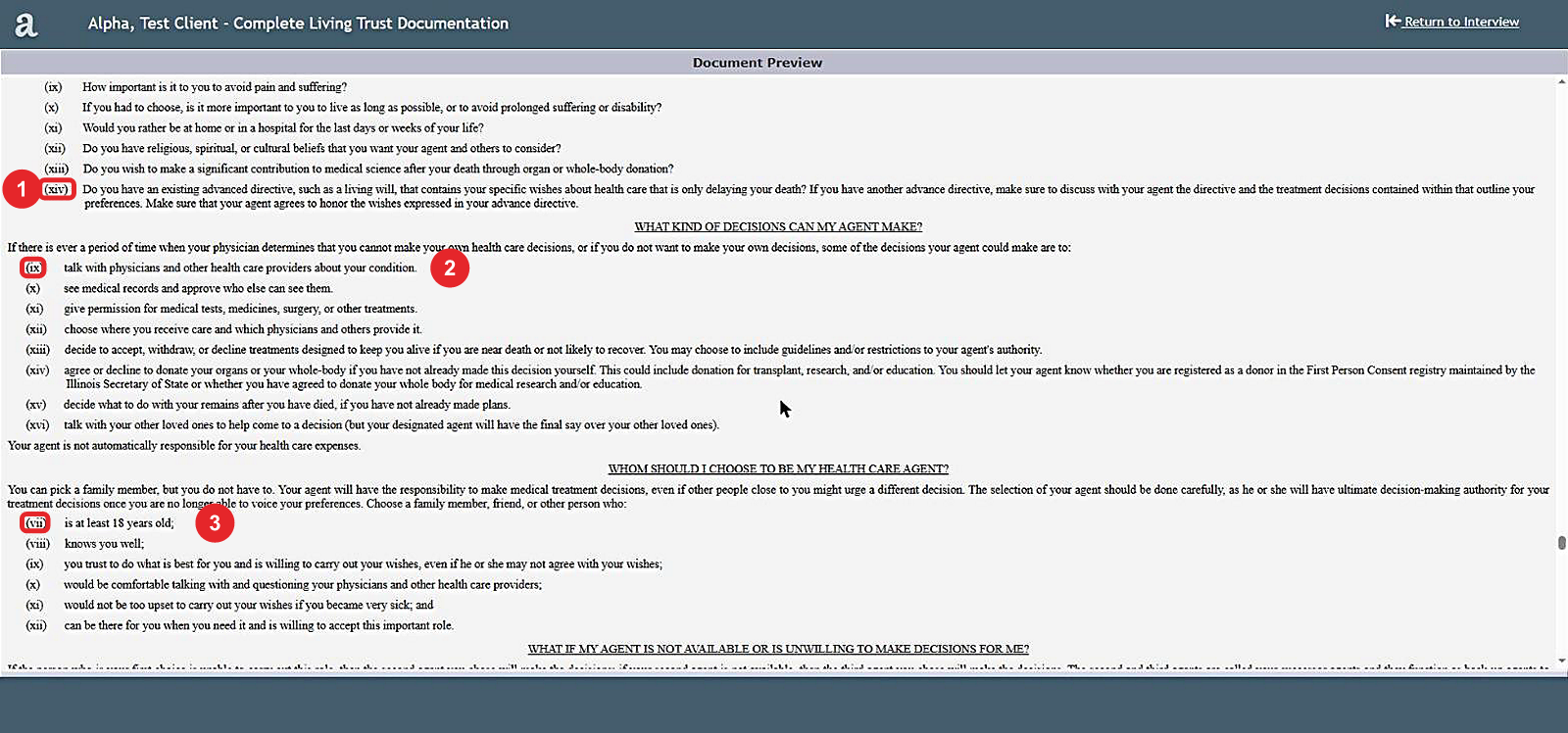
- Output defects: two needed hand fixes in our trial. List numbering in the health care notice ran on, and a blank successor-agent certification printed despite "No successor agents".
- Editing: your drafters make every change in Word, because no editor sits inside the product.
- Connections: we found no integration screen and no public API. Adapt's newsletter describes only a one-way pull of client details from Clio, so data from your other tools moves by hand.
- Contract: the term runs one year, and the end user license agreement asks for 30 days' written notice to terminate.
Pricing
Adapt publishes every tier on its pricing page, last reviewed November 14, 2026.
EP Drafter costs $79 a month plus a $399 sign-up fee. EP Planner costs $115 plus $699, and EP Professional $134 plus $899.
Each tier runs on a one-year term, billed monthly or annually, with a 7-day free trial. The page states a "STRICT NO REFUND POLICY".
2. Clio: Best for Firms That Already Run Clio and Want Drafting in the Same Account
Overview
Clio Manage is practice management software, and its drafting comes from Clio Draft templates and Clio Work's AI drafting.
It serves firms that already run their matters in Clio. Clio ranks second at 3.1 out of 5 as practice management with drafting. The score rates the whole Clio estate planning setup rather than drafting alone, as our Clio test for estate planning firms explains.
Clio Estate Planning Software Scorecard
Clio's scores come from our October 16, 2026 trial, our November 10, 2026 Clio Work session, and Clio's documentation.
| Dimension | Weight | Score | Basis |
|---|---|---|---|
| Core job performance | 20% | 3 | We tested two spouses on one matter, checklists, and matter templates; no intake form or document request in Manage |
| Interoperability with your stack | 18% | 3 | Over 300 apps and an open API; contacts and matters push one way into some drafting tools |
| Ease of use and setup | 12% | 4 | Our first matter took about 3 minutes without the documentation |
| Practice-specific depth | 10% | 3 | Separate trusts and wills practice areas; nothing estate-specific came preloaded in our trial |
| Attorney review and AI controls | 10% | 3 | AI extraction highlights what it fills, per Clio's documentation; no approval step before a portal share in our trial |
| Pricing and cost structure | 10% | 2 | One published price; higher tiers are quoted |
| Data ownership and portability | 8% | 3 | Your content stays yours; ten CSV exports, without documents |
| Support and reliability | 7% | 4 | Live support 24 hours a day on weekdays |
| Security and ABA Opinion 512 posture | 5% | 4 | SOC 2 Type II stated; its subprocessor list names its AI providers |
Features
Clio covers drafting through two products, one we ran and one we read.
- AI drafting, first-hand: we asked Clio Work's Vincent assistant for a will on November 10, 2026, in a trial account with only synthetic names.
- The result: a two-page California draft with a two-witness attestation appeared in the Editor in about 35 seconds of working time, marked not for signing.
- Review: the draft opened as tracked changes, so a reviewer sees every line the AI wrote.
- Template drafting, per Clio's help center: Clio Draft builds a client questionnaire from your templates and maps the answers back to document fields.
- Your own templates: built in Word with the Clio for Word add-in, nested conditions included, per Clio's documentation.
- Signing: a built-in e-signature tool with an audit page, per Clio's documentation.
- AI control: an administrator can switch AI off for the whole firm, except Clio Work, which is AI-only, per Clio's documentation.
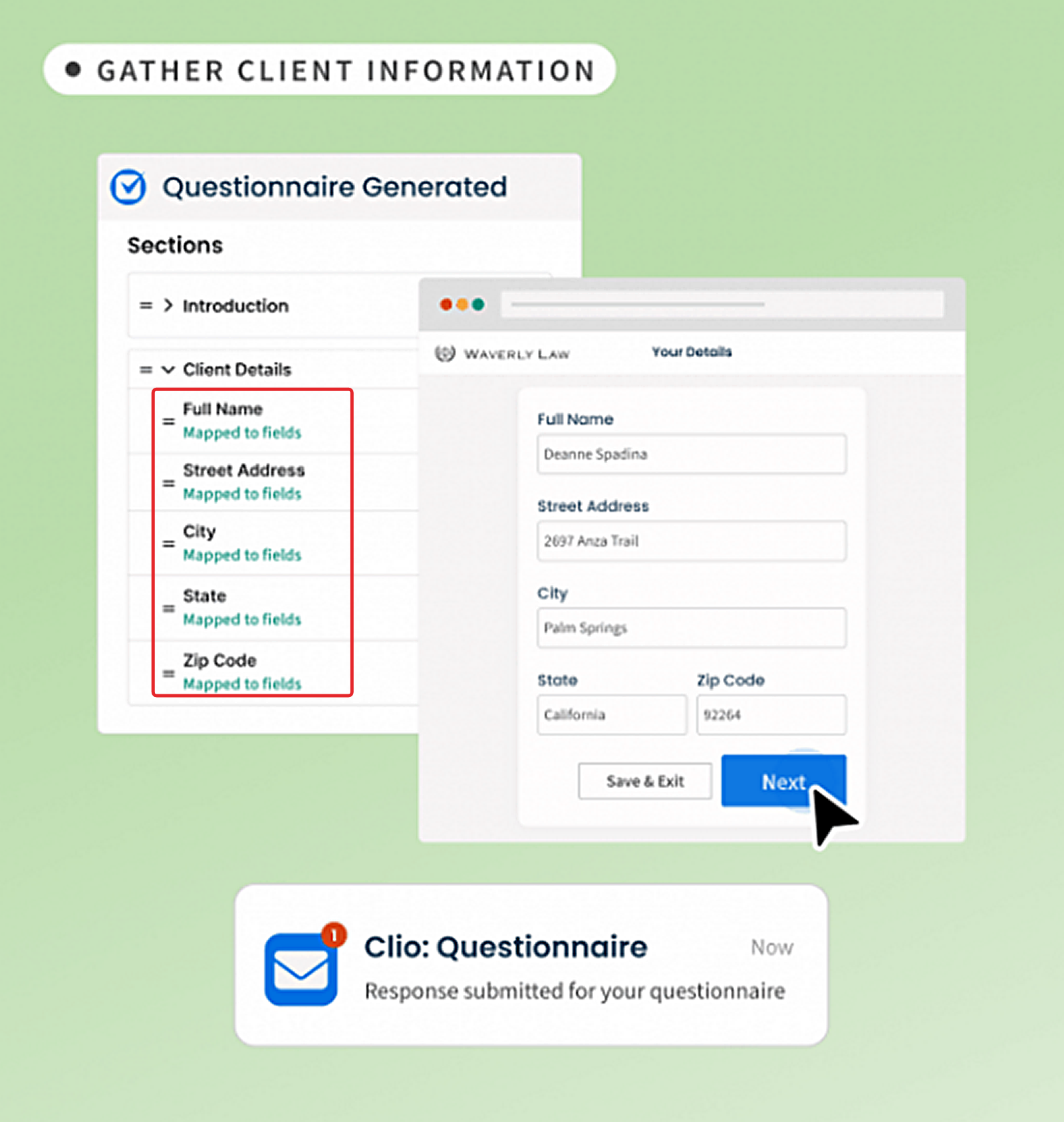
Screenshot: Clio (AI Legal Document Drafting Software, Clio Draft), from Clio's Clio Draft page.
Pros
Clio cuts the hand-offs between your matter record and your drafts.
- Client facts entered once on the matter reach the template, so staff stop copying names into a second system.
- Your reviewer sees every AI-inserted line before anything leaves the firm.
- Your firm can keep drafting template-only by switching AI off account-wide.
Cons
Clio's drafting needs firm discipline and the right tier.
- Clio Work's draft opened read-only in our trial, and the page offered a Convert to .docx button before any edit.
- Clio Draft court form templates are not updated automatically, per Clio's documentation.
- Online intake forms sit in the Expand tier, which our trial's plan screen priced through Clio's sales team.
- No estate-specific presets were loaded in our trial account.

Pricing
Clio's pricing page prints one figure: Starter from $49 per user a month, last reviewed November 14, 2026.
Starter carries no document templates or AI rows, and Clio Draft's Advanced Document Automation is quoted by sales. Core, Signature, and Elite show "Get pricing", and so does the Clio Work add-on.
Our trial's plan screen showed $49, $99, and $129 per user a month, billed annually, under older plan names, last reviewed October 16, 2026. Clio offers a 7-day free trial with no credit card.
3. Trustate: Best for Drafting, Trust Funding, and Probate With One Vendor
Overview
Trustate is trusts and estates software that runs drafting, trust funding, asset searches, and probate administration in one account.
It serves solo to growing estate planning firms, plus trust companies and banks. Drafting runs as an attorney interview over a consortium-written vendor library. Trustate ranks third at 3.1 out of 5 as estate drafting and trust administration software, scored from its documentation and demo.
Trustate Estate Planning Drafting Software Scorecard
Trustate's scores come from its documentation, demo, and terms, read November 4 and November 14, 2026.
| Dimension | Weight | Score | Basis |
|---|---|---|---|
| Core job performance | 20% | 3 | A consortium-written library, an attorney interview with joint trust options, and a documents-for-review step; intake reaches the interview only by import |
| Interoperability with your stack | 18% | 3 | One-way Clio import and one Zapier action; no write-back and no readable API |
| Ease of use and setup | 12% | 3 | Onboarding runs through a paid implementation |
| Practice-specific depth | 10% | 4 | Built for trusts and estates: joint-client drafting, trust funding, deeds, and probate tasks |
| Attorney review and AI controls | 10% | 3 | Review steps for generated documents and funding; no AI feature documented; no audit log |
| Pricing and cost structure | 10% | 3 | Tiers and a monthly option are public; the implementation fee is not |
| Data ownership and portability | 8% | 2 | Ownership, export, and exit terms not stated; Word and PDF files only |
| Support and reliability | 7% | 4 | Chat, email, phone, a help center, and onboarding; no hours or SLA |
| Security and ABA Opinion 512 posture | 5% | 3 | SOC 2 Type II stated, with no report shown; encryption and MFA; no subprocessor list or no-training statement |
Features
Trustate's documentation shows drafting tied to what happens after signing.
- Template assembly: covered by a vendor library. Trustate's drafting page says every clause is reviewed quarterly by the consortium that wrote it, a group that includes ACTEC Fellows.
- Boilerplate: TruClause is the consortium-drafted boilerplate inside every document, per that page, which also counts "10K+" customizable documents.
- Joint clients: covered. The interactive demo shows sole-grantor choices and a joint trust option for married clients.
- Review: a Documents for Review step generates each document, and documents open in Word, fully editable, per the demo.
- Trust funding: Trustate's solutions page lists "over 120 funding forms and tasks".
- Intake: partial. Matters and contacts come in one way from Clio, per Trustate's Clio App Directory listing.


Pros
Trustate keeps a trust's facts in one system after the signing meeting.
- A trust's parties and assets do not move to a second tool for funding or administration.
- Your staff work from one task list from drafting through funding.
- A published monthly option lets your firm avoid a long first commitment.
Cons
Trustate leaves intake, data exit, and part of review to you.
- No client intake builder or document chase is documented.
- Integrations run inbound only, and no readable API is documented.
- Its terms of service, last updated November 10, 2022, state no ownership, export, or exit terms and tell you to review documents "FOR LEGAL SUFFICIENCY".
- Trustate reviews from practitioners are mixed: one practitioner on r/LawFirm reported "Too many language and formatting issues" in December 2025.
Pricing
Trustate's pricing page lists three plans, last reviewed November 14, 2026.
Basic costs $169 a month billed annually or $189 monthly, for up to 2 users, with no estate planning documents. Estate planning documents start at Small Firm, $379 a month billed annually or $399 monthly, for up to 4 users. Mid-Large costs $499 or $529 for up to 8 users.
The same page also lists task-credit tiers with frontloaded task credits.
- Solo: $125 a month (last reviewed November 14, 2026)
- Small/Mid-Size Firm: $259 a month (last reviewed November 14, 2026)
- Large Firm: $429 a month (last reviewed November 14, 2026)
Trustate states no implementation fee amount and describes no free trial. Its terms renew each term unless you give notice within 30 days of its end, and payments are non-refundable.
4. Gavel: Best for Automating Your Own Word Templates
Overview
Gavel is document automation software, formerly Documate, that turns your Word templates into guided interviews.
It serves firms that want their own drafting language, and its ready-made estate planning packages cover California only. Gavel ranks fourth at 3.0 out of 5 as document automation software, best for automating your own Word templates. Our build ran in an expression editor, as what our Gavel trial showed explains.
Gavel Estate Planning Drafting Software Scorecard
Gavel's scores come from our October 27 and October 28, 2026 trial and Gavel's published terms.
| Dimension | Weight | Score | Basis |
|---|---|---|---|
| Core job performance | 20% | 3 | The library's couple trust interview and the joint-client logic ran as built in our trial; intake re-asks facts |
| Interoperability with your stack | 18% | 3 | Native links to Clio Manage and DocuSign; other tools through Zapier, webhooks, or an API on Scale |
| Ease of use and setup | 12% | 3 | A three-page conditional workflow took us about 35 minutes |
| Practice-specific depth | 10% | 3 | Deep estate packages for California; elsewhere you build your own |
| Attorney review and AI controls | 10% | 2 | Holding documents for attorney review is a setting you must turn on |
| Pricing and cost structure | 10% | 4 | Four plans are public |
| Data ownership and portability | 8% | 2 | No published export procedure; data deleted after cancellation |
| Support and reliability | 7% | 4 | Phone, email, and screen share support, plus a help center |
| Security and ABA Opinion 512 posture | 5% | 4 | AWS hosting, encryption, a named model provider, and a no-training statement |
Features
Gavel covers your own language and deep logic, and leaves review to you.
- Your own templates: covered. You tag Word templates with Gavel's Microsoft Word add-in and attach them to a workflow.
- Library: partial. Our trial showed 43 templates, 13 for estate planning and probate, and the only ready estate planning packages were for California.
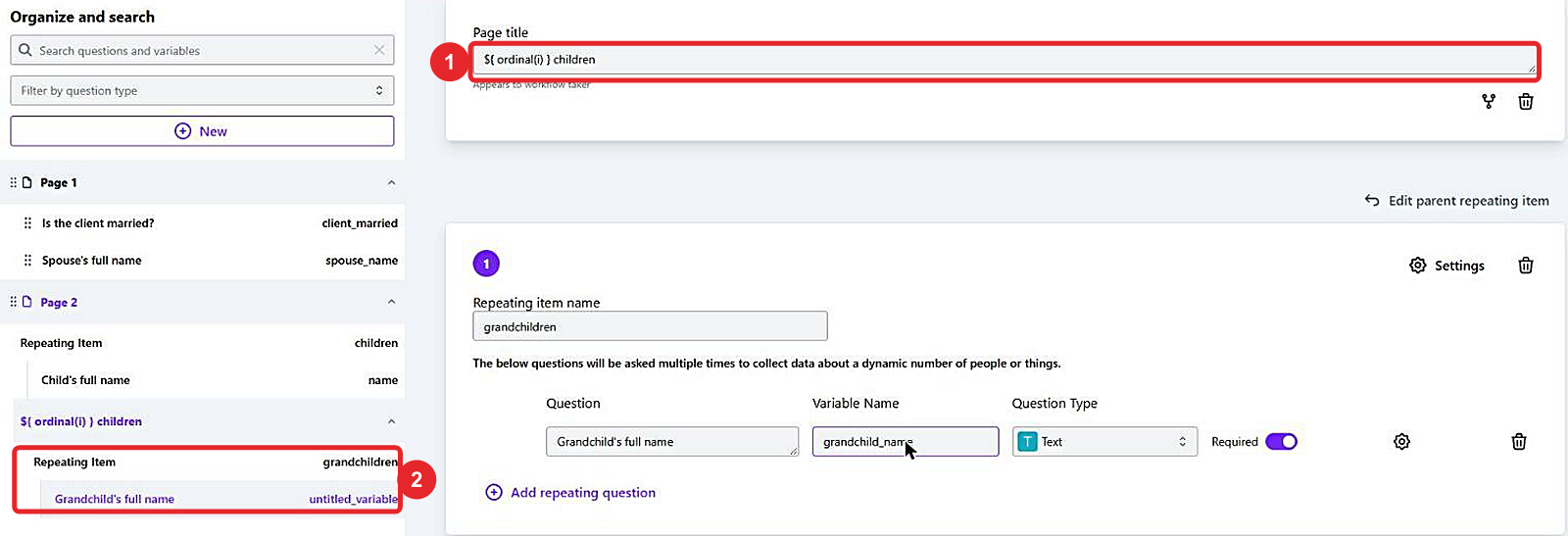
- Joint clients: covered. We built a grandchildren item inside a children item and a question shown only for an AB trust, and both ran as built.
- Intake into the answer file: covered within one workflow, with "Push into another workflow" between workflows.
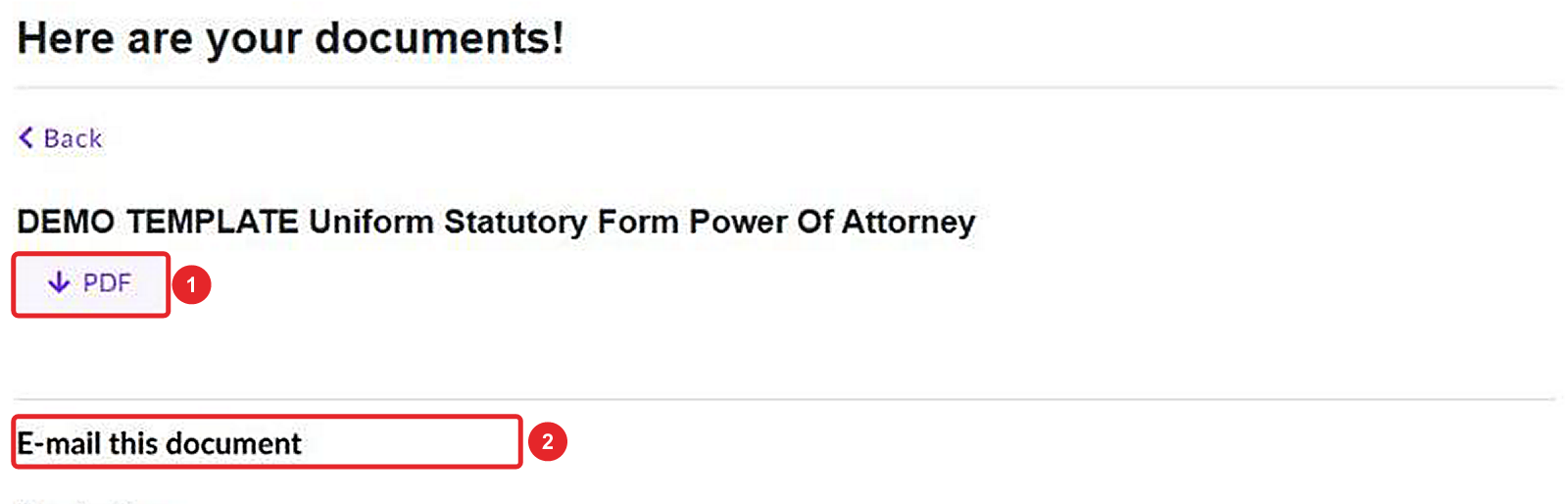
- Quality check before signing: not covered. A generated document comes out as a PDF, a ZIP, or an email, with no in-app preview or editor.
- Connections: Clio Manage and DocuSign natively, plus Zapier and webhooks.
Pros
Gavel lets you draft in your own words without paying for a vendor library.
- One interview drives the trust, pour-over wills, powers of attorney, and directives together, so staff enter each answer once.
- A fixed template goes live on the next run, so a corrected clause never waits for a release.
- Your firm keeps control of its language, because the templates are yours.
Cons
Gavel's flexibility costs build time and review controls.
- Build time: a three-page conditional workflow took us about 35 minutes, and text calculations offered only two functions.
- Records: your staff get no client or matter record, so each client lives as a run of one workflow.
- Review: workflows default to "Anyone with Link", and a completion email can send documents with no approval step.
- Data exit: Gavel's terms keep account data seven days after cancellation, then delete it, with no export provision.
You can weigh the other builders firms compare with Gavel when the build effort is too heavy for your team.
Pricing
Gavel's pricing page shows annual billing, priced per month.
- Lite: $83 (last reviewed November 14, 2026)
- Standard: $210, though the Compare Plans table lists $165, so confirm it with Gavel (last reviewed November 14, 2026)
- Pro: $290 (last reviewed November 14, 2026)
- Scale: from $417 (last reviewed November 14, 2026)
Monthly billing for Lite, Standard, and Pro was $99, $250, and $350, last reviewed November 2, 2026. Gavel offers a 7-day trial.
5. WealthCounsel: Best for a Maintained Library and a Member Community
Overview
WealthCounsel sells its Wealth Docx drafting software only inside a membership that also bundles CLE, a nationwide attorney community, and support.
It serves estate planning and elder law firms that want vendor-authored documents kept current for them. WealthCounsel ranks fifth at 3.0 out of 5 as estate drafting software, scored from WealthCounsel's documentation and terms. Read our WealthCounsel review from its documentation.
WealthCounsel Estate Planning Drafting Software Scorecard
WealthCounsel's scores come from its documentation, membership pages, API reference, and EULA, read October 21, 2026.
| Dimension | Weight | Score | Basis |
|---|---|---|---|
| Core job performance | 20% | 3 | Assembly from a large maintained library is covered; joint-client logic, intake answers in the interview, and a quality check before signing are not described |
| Interoperability with your stack | 18% | 3 | One-way Clio push, partner syncs, and an API for contacts and matters that needs partner approval |
| Ease of use and setup | 12% | 3 | Cloud, no install, and monthly live training; no onboarding program or setup timeline is public |
| Practice-specific depth | 10% | 4 | Estate document systems, state documents, Elder Docx, and trust administration tasks |
| Attorney review and AI controls | 10% | 2 | The EULA leaves checking AI output to the user, and LawY verification is opt-in |
| Pricing and cost structure | 10% | 2 | Every tier is quote-only on a renewing term |
| Data ownership and portability | 8% | 3 | Your firm owns Client Data and can take a copy; templates stay WealthCounsel's |
| Support and reliability | 7% | 3 | Free unlimited support and monthly training; no stated hours, response times, or status page |
| Security and ABA Opinion 512 posture | 5% | 4 | SOC 2 Type 2 attestation and a SOC 3 report; the AI model provider is not named |
Features
WealthCounsel's documentation shows a large vendor-written trust drafting software library, built for firms that want the vendor to carry the language.
- Template assembly: covered. Wealth Docx Complete holds ten drafting systems, with Scenarios for frequent fact patterns and "Automated Updates".
- Library size: "more than 40" interview-driven templates in Essential and "more than 300" in Elite, per WealthCounsel's membership pages.
- Intake: partial. Client Intake collects partners, dependents, fiduciaries, and assets, and hands contact data to drafting on the upper tiers.
- Integrations: a one-way Clio push, partner syncs, and an API for contacts and matters only.
- AI: LawY answers estate planning questions, with lawyer verification on request, and Flowcharts turns a plan into a diagram.

Pros
WealthCounsel moves the language burden off your attorneys.
- Fewer attorney hours on sophisticated and taxable-estate plans, because the vendor carries the language.
- Lower risk of outdated language, because the vendor updates its templates.
- A faster ramp for new attorneys through CLE and the member community.
Cons
WealthCounsel's complaints center on length and the contract.
- Practitioners report long, dense documents for simple plans: one wrote on r/LawFirm that "Everything on wealthcounsel is 100 pages".
- No quality check or validation feature is described, and the documents are sold "AS IS".
- Every tier is quote-only on a renewing term, and the EULA bars reducing Named Users during a term.
You can compare the alternatives firms weigh against WealthCounsel when cost or length is why you are leaving.
Our plans run 100 pages. Can clients trust what they sign?
Length is the most frequent recent WealthCounsel complaint we found. Ten practitioners and staff on Reddit described long, dense documents. Four other users pointed to short or simplified will settings, which WealthCounsel's documentation does not name.
WealthCounsel's documentation names Flowcharts, which turns a client's trust or will into a diagram. Your attorney can use it to walk the client through the plan at signing.
Pricing
WealthCounsel prints no price: every tier on its membership page is quote-only, last reviewed October 21, 2026.
The page says pricing depends on the number of users in your firm and the products you choose. The ABA Journal column of January 22, 2026 also found its pricing "not publicly available online".
6. InterActive Legal: Best for Complex, Tax-Driven, and Elder Law Plans
Overview
InterActive Legal sells the InterActive LegalSuite, estate planning drafting software with a specialist library.
Its four packages center on complex, tax-driven, and elder law plans. InterActive Legal ranks sixth at 2.8 out of 5 as estate drafting software, tied with Lawgic at 2.8 and listed first alphabetically. See how InterActive Legal's documentation scores.
InterActive Legal Estate Planning Drafting Software Scorecard
InterActive Legal's scores come from its documentation, read October 21, 2026.
| Dimension | Weight | Score | Basis |
|---|---|---|---|
| Core job performance | 20% | 3 | Interview assembly and a client intake form cover most steps |
| Interoperability with your stack | 18% | 3 | One-way Clio Manage import, partner logos with no description, no public API |
| Ease of use and setup | 12% | 3 | A guest post on its blog calls the first month setup |
| Practice-specific depth | 10% | 5 | 11 revocable and 32 irrevocable trust documents, special needs, Medicaid, VA, and firearms trusts |
| Attorney review and AI controls | 10% | 1 | Not stated: AI features named, not described; no review control described |
| Pricing and cost structure | 10% | 1 | Not stated: no price for any package |
| Data ownership and portability | 8% | 2 | Export readable only by its own online system |
| Support and reliability | 7% | 4 | Weekday phone line, four email departments, a help center, and an Academy |
| Security and ABA Opinion 512 posture | 5% | 3 | AWS, TLS 1.3, a firewall, optional MFA, and a third-party penetration test |
Features
InterActive Legal's documentation shows the deepest tax and elder law library here, a strong fit for complex plans.
- Library depth: its product comparison chart lists 11 revocable and 32 irrevocable trust rows across its Essentials, Wealth Transfer, and Elder Law columns.
- Drafting options: its Wealth Transfer Planning page lists state-specific language, a formula credit shelter trust, disclaimer and Clayton QTIP, and GST planning.
- Joint clients and intake: joint trusts, plus a client intake form in the online edition.
- Output: Word files saved to your device, from an online edition or a Windows Legacy edition.
- Integrations: one Clio Manage contact import.

Pros
InterActive Legal frees senior attorney time on your hardest plans.
- Senior attorneys spend time on plan design rather than drafting tax provisions from scratch.
- Elder law and special needs work runs without a second vendor.
- Academy courses shorten the ramp on tax planning for newer attorneys.
Cons
InterActive Legal's gaps sit in setup, data exit, and your own language.
- Your language: its pages document no way to load your own templates.
- Data exit: its data retention policy says an export is "readable only by the ILS online system".
- Setup: a guest post on its blog tells new firms to "Treat the first month as setup, not production".
- Ease of use: practitioners in the r/LawFirm thread cited for Trustate called the interview "difficult to use" and the software "old and clunky".
Pricing
InterActive Legal cost is not stated anywhere on its site: every package is demo-gated, last reviewed October 21, 2026.
Members of five named communities, DecisionVault among them, get a 10% discount, per its discount pages. The same ABA Journal column found its pricing not publicly available online.
7. Lawgic: Best for a Guided Interview on a Windows Desktop
Overview
Lawgic is installed Windows drafting software built on a rule-based question-and-answer engine.
It serves trusts and estates attorneys through ten state titles plus a state-neutral title, each a vendor-authored will and trust library. Lawgic ranks seventh at 2.8 out of 5 as estate drafting software, scored from Lawgic's documentation and license agreement, read November 4, 2026.
Lawgic Estate Planning Drafting Software Scorecard
Lawgic's scores come from its documentation and license agreement, read November 4, 2026.
| Dimension | Weight | Score | Basis |
|---|---|---|---|
| Core job performance | 20% | 3 | A will and trust library driven by an interview, with mirror documents for a spouse; client facts keyed by staff |
| Interoperability with your stack | 18% | 3 | One-way Clio Manage contact import and a DecisionVault contact sync; no public API |
| Ease of use and setup | 12% | 3 | Interview with live preview, built-in help, included training; installed Windows software |
| Practice-specific depth | 10% | 4 | Ten state titles plus a state-neutral title, with wills, trusts, directives, and deeds |
| Attorney review and AI controls | 10% | 2 | No AI feature documented; lawyers are "solely responsible" under its license |
| Pricing and cost structure | 10% | 2 | No current price; quote form only; no cancellation during the term |
| Data ownership and portability | 8% | 2 | Answer files sit on your drive in Lawgic's format; ownership not stated |
| Support and reliability | 7% | 4 | Weekday phone and email support, free one-on-one training and webinars |
| Security and ABA Opinion 512 posture | 5% | 1 | Not stated: no security page, DPA, or attestation on its site |
Features
Lawgic's documentation shows an interview that drafts as you answer.
- Interview: research sits beside each question, with a live document preview, per its Florida wills and trusts page.
- Joint clients: mirror documents for a spouse.
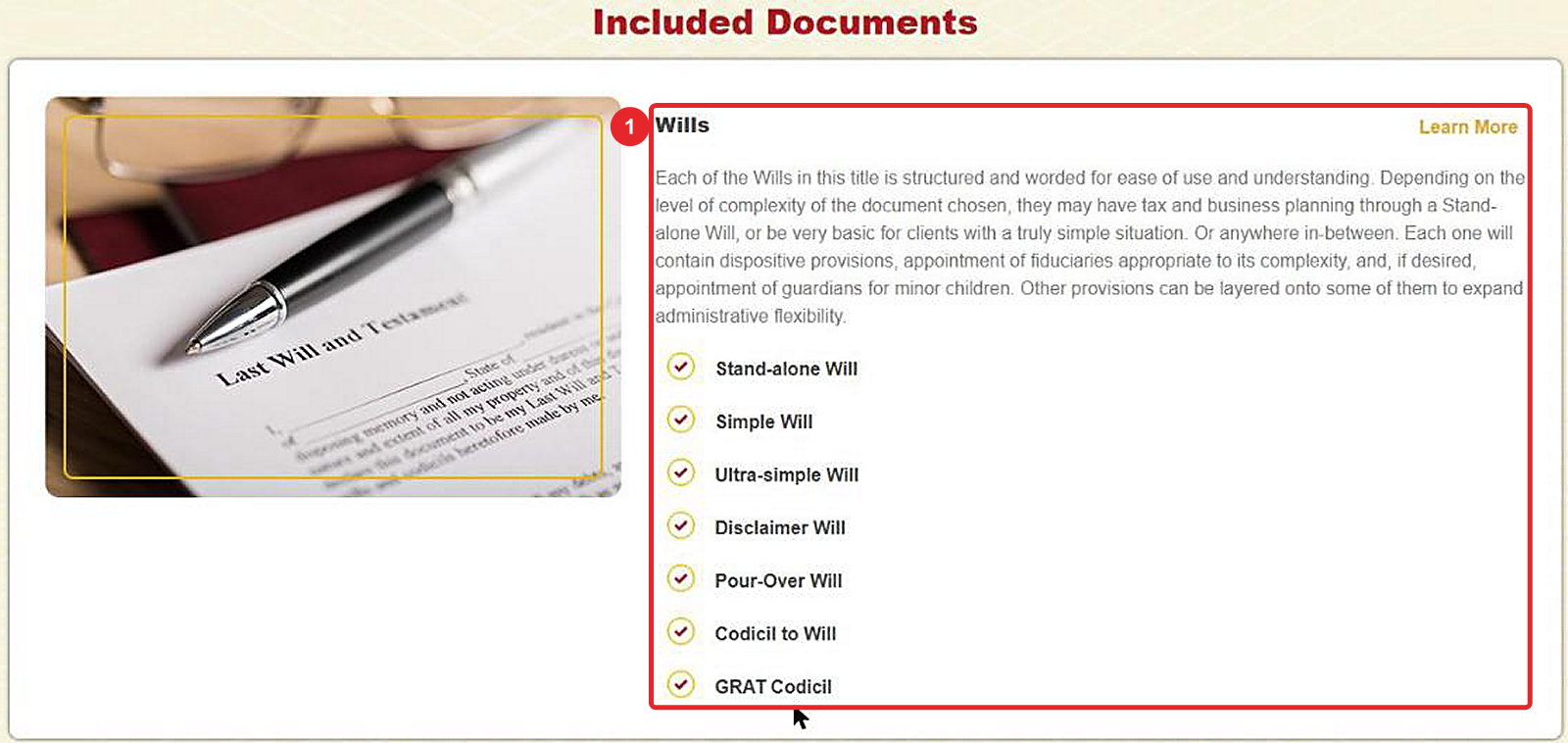
- Your language: a Template Assistant and saved language for reuse, plus a client synopsis.
- Intake: Clio contacts import into a new answer file, per its Clio partner page.
Pros
Lawgic shortens the drafting loop for staff.
- Spouses' shared facts are entered once for both sets of documents.
- Staff see the document change as they answer, so errors surface before the draft prints.
- Your firm's language is saved once and reused across plans.
Cons
Lawgic's limits sit in platform and contract.
- It is installed Windows software; on a Mac it needs Boot Camp or Parallels.
- No client portal, document request, API, or AI feature is documented on Lawgic's pages.
- Its license agreement says "You may not cancel your subscription for the term", and the software locks after expiry.
- One practitioner in the r/LawFirm thread cited for Trustate said the interface "felt like I was back in 1998" (March 2026).
Pricing
Lawgic pricing is quote-only: its pricing page is a quote form, last reviewed November 4, 2026.
Its agreement offers 12-month or 4-month terms. One practitioner wrote in December 2025 that California wills and trusts cost about $1,500 to $1,600 a year the year before. That is a user report rather than Lawgic's price.
8. HotDocs: Estate Planning Software for Firms That Build Every Template Themselves
HotDocs estate planning software means building every estate document yourself, because Mitratech's pages show no estate template library.
Overview
HotDocs is a general document assembly engine from Mitratech, with Author on Windows and Advance in the cloud or on premises.
It serves firms of every size that will build their own documents. HotDocs ranks eighth at 2.7 out of 5 as a document assembly engine, scored from Mitratech's documentation and terms. The NJSBA white paper notes HotDocs moved upmarket after Mitratech acquired it in June 2024.
HotDocs Document Assembly Scorecard
HotDocs scores come from Mitratech's documentation and terms, read November 4 and November 14, 2026.
| Dimension | Weight | Score | Basis |
|---|---|---|---|
| Core job performance | 20% | 3 | Assembly from your own templates; a client interview sends answers in without retyping; no estate library |
| Interoperability with your stack | 18% | 3 | A documented REST API; no practice management connector named |
| Ease of use and setup | 12% | 2 | Templates authored in a Windows desktop tool with a scripting language |
| Practice-specific depth | 10% | 2 | A general engine: you build every estate document and rule |
| Attorney review and AI controls | 10% | 3 | AI Interview Autofill shows AI-filled answers for you to review |
| Pricing and cost structure | 10% | 2 | No public price; licence quantities cannot be decreased during the term |
| Data ownership and portability | 8% | 3 | You own your content; hosted data comes back as one csv or sql file on exit |
| Support and reliability | 7% | 3 | Standard business hours; only versions from the past 12 months |
| Security and ABA Opinion 512 posture | 5% | 3 | Its terms and privacy policy pull two ways on AI data; no HotDocs attestation on its site |
Features
HotDocs gives a builder full control and nothing prebuilt.
- Logic: conditional regions, computations, and a scripting language, per the HotDocs Author overview.
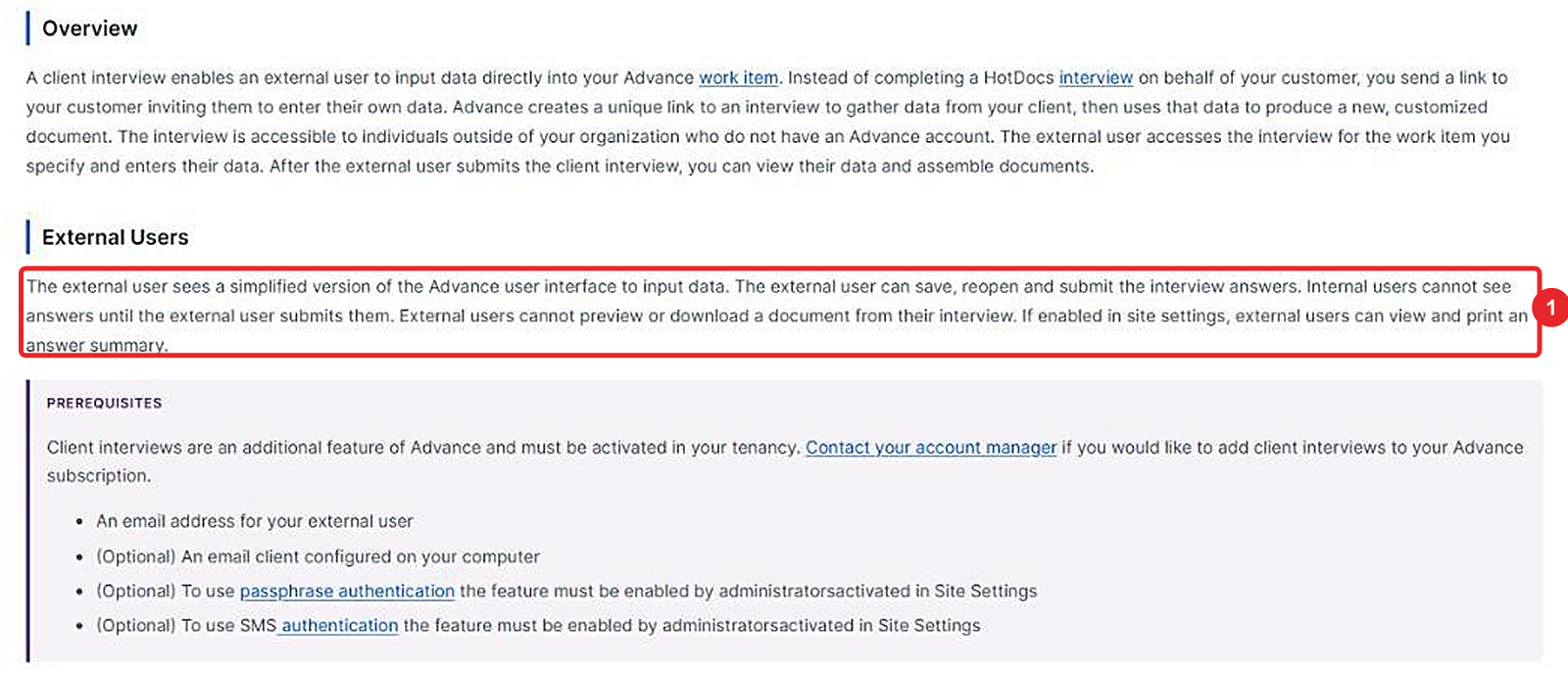
- Intake: a client interview link whose answers flow into the work item.
- Connections: a documented REST API.
- AI: AI Interview Autofill suggests answers that your staff review.
Pros
HotDocs pays off when your firm has a builder.
- Your estate logic has no ceiling, because you write every rule.
- One set of answers fills every document in the set.
- A developer can connect it to your other systems through the API.
Cons
HotDocs puts the whole build on your firm.
- "HotDocs does not sell any pre-packaged templates or automated forms", per a 2012 HotDocs post now on Mitratech's site.
- Licence quantities cannot be decreased during the term, per the HotDocs addendum.
- Terms renew for one-year periods unless you give notice 45 days before the end, per Mitratech's master terms.
- One practitioner on r/legaltech described firm templates that only their builder could maintain (February 2026).
Pricing
HotDocs pricing is quote-only: Mitratech quotes it through sales, last reviewed November 4, 2026.
Plan for the licence, the build hours, and the template upkeep together.
9. Westlaw Form Builder: Best for an Estate Planning Forms Library Inside Westlaw
Westlaw Form Builder for estate planning gives your firm a publisher-maintained forms library inside the Westlaw account you already use.
Overview
Westlaw Form Builder is Thomson Reuters' online forms library and document assembly tool.
Its published screenshots show a Lipman's Estate Planning volume beside probate and guardianship volumes. It serves firms that already research in Westlaw and want publisher-maintained forms. Westlaw Form Builder ranks ninth at 2.5 out of 5 as estate planning forms software, scored from Thomson Reuters' documentation.
Westlaw Form Builder Estate Planning Forms Scorecard
Westlaw Form Builder's scores come from Thomson Reuters' documentation and terms, read November 4, 2026.
| Dimension | Weight | Score | Basis |
|---|---|---|---|
| Core job performance | 20% | 3 | Vendor forms plus Custom Forms from your Word documents; interview answers reused across a case file |
| Interoperability with your stack | 18% | 1 | Not stated: no public API or practice management connector documented |
| Ease of use and setup | 12% | 3 | Guided modes, inline help, and training videos; Custom Forms need a Word plug-in |
| Practice-specific depth | 10% | 4 | Estate planning, probate, and guardianship volumes for your state |
| Attorney review and AI controls | 10% | 2 | No approval step documented before a form leaves; no AI feature documented |
| Pricing and cost structure | 10% | 2 | No public price; demo only; annual renewal |
| Data ownership and portability | 8% | 2 | Forms come out as Word, WordPerfect, or PDF files; bulk record export is not documented |
| Support and reliability | 7% | 3 | Support phone lines, a support center, and training videos; hours not stated |
| Security and ABA Opinion 512 posture | 5% | 3 | A company-wide data security addendum; no Form Builder attestation |
Features
Thomson Reuters' documentation shows a maintained library with answer reuse.
- Intake: a Client Interview Sheet whose answers are reused for all forms assembled in the same case file, per its form editing guide.
- Your language: Quick Text, Form Sets, and Custom Forms through a Word plug-in.
- Upkeep: forms "continually updated" with alerts, per the Form Builder product page.
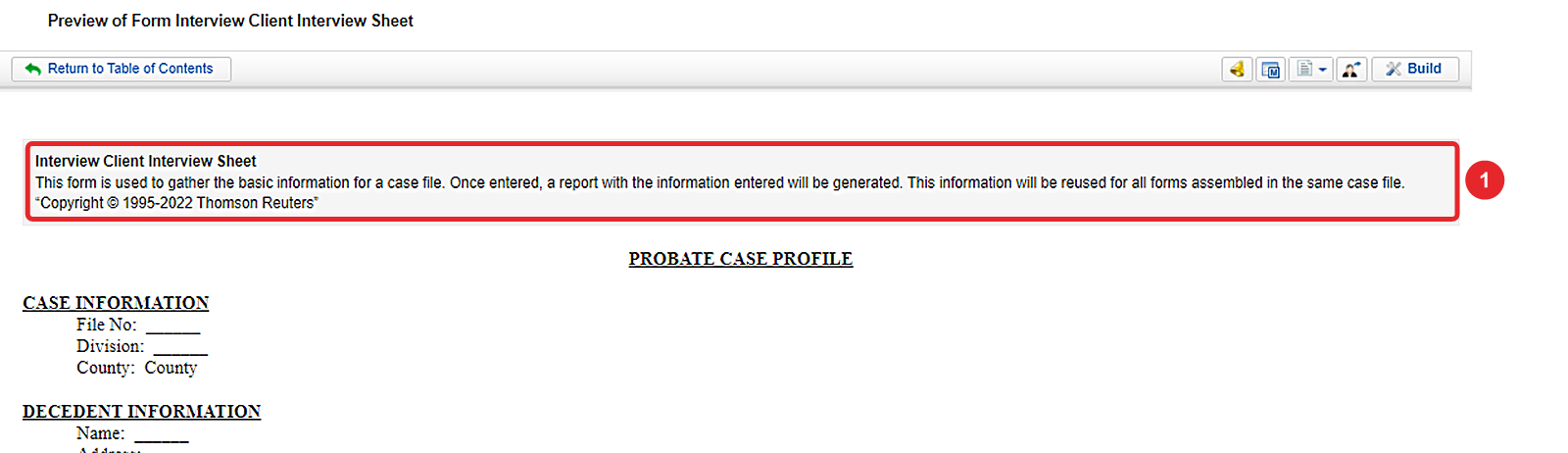
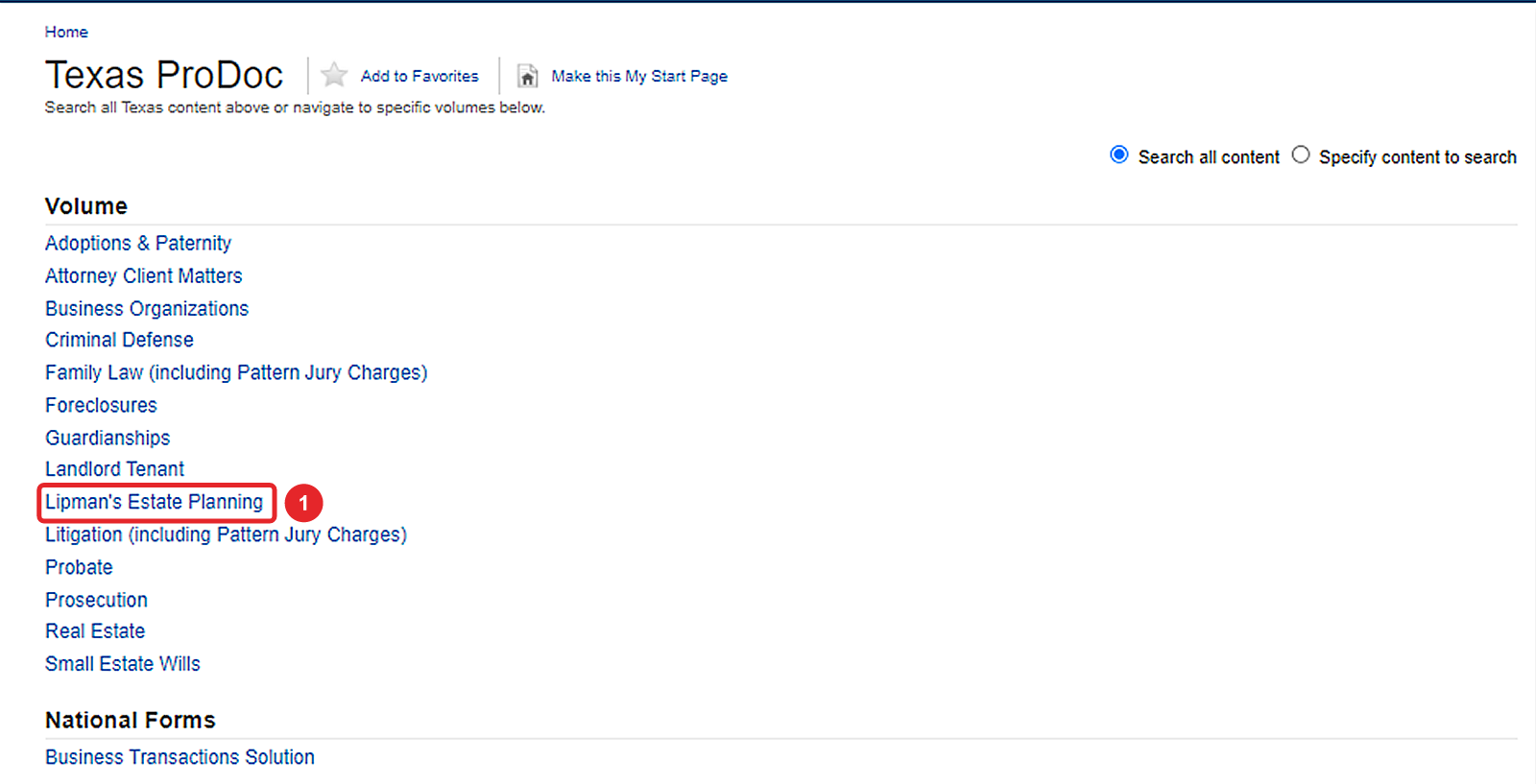
Screenshot: Thomson Reuters documentation, from its Form Builder resources guide.
Pros
Westlaw Form Builder keeps forms current without your staff tracking changes.
- Less upkeep for your staff, because the publisher keeps the forms current.
- Smoother plan-to-probate work, because estate planning, probate, and guardianship volumes sit in one library.
- Fewer vendors to vet when you already research in Westlaw.
Cons
Westlaw Form Builder stays closed to your other systems.
- Connections: no public API or practice management connector is documented, so your staff move data by hand.
- Templates: Thomson Reuters lets you edit a Master Form's text and warns that changing its questions may stop it building correctly.
- Review: no approval step or audit trail is documented.
- Contract: Thomson Reuters' General Terms, as read November 4, 2026, renew annually with price changes on 60 days' notice. One practitioner in the r/LawFirm thread cited for Trustate reported a push toward a multi-year contract in December 2025.
Pricing
Westlaw Form Builder pricing is quote-only: Thomson Reuters offers a demo request only, last reviewed November 4, 2026.
Ask for the renewal terms in writing during the demo.
Statular: Estate Planning Drafting Software We Have Not Reviewed Yet
Statular is browser-based drafting for licensed US estate attorneys, per its automated drafting page.
One attorney interview drives a state-aware package of editable Word files. It covers 39 states plus DC, per its states page. Statular pricing starts at $495 a month for Essentials, one state and two users, per its pricing page, last reviewed November 13, 2026.
We have not reviewed this software yet.
Best Estate Planning Drafting Software by Firm Situation
Pick the drafting software by the job your firm needs done, then automate around it.
Should we build our own templates or keep a drafting library?
Build your own if someone can maintain them. Keep a drafting library if nobody can. Gavel and HotDocs fit you when you have a builder. Adapt, WealthCounsel, and InterActive Legal fit you when you want vendor language.
If You Are Changing Tools
These picks suit you when you move off your current drafting software.
- Published prices and a full trust package from one interview: Adapt.
- Your own Word templates: Gavel.
- Vendor-maintained language and a member community: WealthCounsel.
- Complex, tax-driven, and elder law plans: InterActive Legal.
- A desktop interview with a live preview: Lawgic.
- Before you move, read what changing drafting software involves.
If You Are Choosing a Whole Stack
These picks suit you when you choose drafting and practice software together.
- Already on Clio and want drafting in the same account: Clio.
- Drafting plus trust funding and probate: Trustate.
- A developer who will build everything: HotDocs.
- A forms library inside your Westlaw subscription: Westlaw Form Builder.
- Intake and matters too: compare software for running the whole estate practice.
Add an Automation Layer Around Your Drafting Software for Estate Planning Document Automation
You keep the drafting software you pick, and an automation layer works around it, so your firm increases revenue without adding headcount.
Aretech builds that layer as estate planning document automation built around your drafting software. It starts with the data layer, adds AI agents on top, and runs workflows last.
Every time I tell myself I'll do my own templates, I get busy. What then?
The layer starts from the templates you already have, so nobody on your team stops client work to build them.
Here is what it does.
- The data layer keeps one source of truth across your CRM, drafting software, storage, and phones.
- Intake is captured once, in a custom intake app with staff-only sections and a "Not sure. Let's discuss" answer, so your staff draft from one record instead of re-asking the client.
- The drafting method we design assembles first drafts from your own templates and the rules your attorney writes.
- In that method, nothing is generated until your attorney answers the attorney-only design questions and your attorney and client approve the record, which locks it.
We build around the drafting software and practice management system you already run, whichever tool above you pick. An attorney reviews every draft, and the system never signs, files, or decides anything legal.
Your firm owns the build, it runs in your own cloud account, and hosted frontier models do the AI work.
There are no subscriptions: it starts with the free workflow mapping session, then a scoped build.
Free. The map is yours, even if you never hire us.
FAQs
What Is the Best Estate Planning Drafting Software for Attorneys?
Adapt is the best estate planning drafting software for attorneys in a boutique estate planning firm, at 3.4 out of 5. Choose Clio (3.1) when you already run Clio. Choose Trustate (3.1) for drafting, trust funding, and probate together, and Gavel (3.0) for your own Word templates.
Wealth Counsel vs InterActive Legal: Which Is Better for an Estate Planning Firm?
WealthCounsel scores 3.0 and InterActive Legal 2.8 on our rubric, so WealthCounsel edges ahead. WealthCounsel is stronger on its member community and its packaged CLE membership. InterActive Legal is stronger on complex trust depth, with the only 5 for practice depth on this list. Neither prints a price.
I'm a Solo; Creating My Own Templates Will Take a Very Long Time. What Software Helps?
Adapt's state-aware library and Gavel's California packages help most, because both draft without a build. Outside California, Adapt drafts for 49 states and DC from its vendor library. Four tools take your own Word files when you want your own templates.
- Gavel, through its Microsoft Word add-in.
- HotDocs, through its Author tool.
- Clio Draft, through the Clio for Word add-in.
- Westlaw Form Builder, through Custom Forms.
Adapt lets you edit letters only, and InterActive Legal documents no way to load your templates.
Can We Automate Our Own Templates Instead of Buying Drafting Software?
Yes, your firm can automate the templates it already drafts instead of renting a vendor library. The guide to automating the documents your firm already drafts walks through the steps, from template mapping to attorney review.
Is Practice Management Software the Same as Drafting Software?
No, practice management software runs matters, contacts, calendars, and billing, while drafting software assembles the documents. Clio combines both, through Clio Draft and Clio Work, and WealthCounsel bundles LEAP practice management in its WealthCounsel + LEAP tier. Adapt and Trustate keep client and matter records for the drafting job, and Trustate adds trust funding and probate tasks.
How Much Does Estate Planning Drafting Software Cost?
Published entry prices for the drafting itself run from $79 a month for Adapt to $379 a month for Trustate's Small Firm plan. Adapt adds a $399 sign-up fee. Six of the nine products quote their drafting prices only.
| Product | Published entry price | Last reviewed |
|---|---|---|
| Clio | Starter from $49 per user a month for practice management, without document templates; Clio Draft and Clio Work are quoted | November 14, 2026 |
| Adapt | EP Drafter: $79 a month plus a $399 sign-up fee | November 14, 2026 |
| Gavel | Lite: $83 a month, billed annually | November 14, 2026 |
| Trustate | Small Firm: $379 a month, billed annually | November 14, 2026 |
| WealthCounsel | Quote only | October 21, 2026 |
| InterActive Legal | Quote only | October 21, 2026 |
| Lawgic | Quote only | November 4, 2026 |
| HotDocs | Quote only | November 4, 2026 |
| Westlaw Form Builder | Quote only | November 4, 2026 |
We Find Errors in the Documents Our Drafting Software Produces. Do We Have to Proofread Every Page?
Yes, an attorney reviews every draft, whatever the tool. Our Adapt trial package needed two hand fixes before it was ready. The NJSBA white paper advises building in a review of "the first several dozen documents" from a new template. That check catches a template error before it repeats across your plans.
How Do We Stop Retyping Client Data Into Our Drafting Software?
Use an intake path that feeds the drafting interview. These products carry answers into it.
- Gavel: answers carry through one workflow, and "Push into another workflow" moves them to the next.
- Clio Draft: its questionnaires map client answers to template fields, per Clio's documentation.
- Adapt: the client record prefills the interview, as our trial showed.
An automation layer captures intake once into one record when your client data sits in more than one tool. We build it around the drafting software and practice management system you already run.
We Know AI Makes Stuff Up. Will Drafting Software Put AI in Our Documents?
Only some drafting software brings AI near your documents, and none of it removes your attorney's review. The table shows where AI sits in each product.
| Product | AI in the product | What your reviewer sees |
|---|---|---|
| Clio | Clio Work's Vincent assistant drafts documents | Tracked changes on every AI-written line |
| WealthCounsel | LawY answers estate planning questions; Flowcharts diagrams a plan; LEAP's Matter AI in the WealthCounsel + LEAP tier | Lawyer verification of LawY answers on request; inline references in Matter AI |
| Gavel | Blueprint suggests interview questions from your templates | Not stated for the questions it suggests |
| HotDocs | AI Interview Autofill suggests interview answers; an MCP connector, in preview, lets an AI assistant start a work item | AI-filled answers shown for review; the connector returns a link for review |
| InterActive Legal | AI features named on its site, not described | Not stated |
| Adapt | None; drafts come from rule-based interview logic | Not applicable |
| Trustate, Lawgic, Westlaw Form Builder | None documented | Not applicable |
We ran Clio's assistant and searched every Adapt menu for AI in our own trial accounts. The ABA's Formal Opinion 512 keeps the duty of review with the lawyer, so your attorney still reviews every draft.
Is There Free Estate Planning Drafting Software for Attorneys?
No product we reviewed is free estate planning software for attorneys, but trials exist. Adapt, Gavel, and Clio each offer 7-day trials. WealthCounsel gives new New Law Business Model members a 90-day trial of its Core drafting software.